
Finding the best laptop under $800 is easier than it used to be—but choosing the right one is still surprisingly complicated.
At this price, you can now find laptops with modern processors, 16GB of RAM, fast SSD storage, high-refresh-rate displays and even OLED screens. Some models are thin enough for daily commuting, while others prioritize battery life, a large display or performance.
The challenge is knowing which specifications actually matter.
For SEE2GET, a good sub-$800 laptop isn’t simply the machine with the fastest processor. We look at the complete package: performance, display, battery life, portability, build quality, keyboard, connectivity, storage, upgradeability and overall value.
Whether you’re looking for a laptop for college, remote work, office productivity, programming, content creation or everyday browsing, these are the models and categories worth considering in 2026.
Quick Summary
Best overall: Lenovo IdeaPad Slim 5
Best budget Mac: MacBook Neo
Best Windows ultraportable: Dell XPS 13
Best display: ASUS Zenbook 14
Best battery life: Lenovo IdeaPad Slim 3x
Best everyday value: Acer Swift Air 14
Best large-screen option: ASUS Vivobook 16
Best for students: Lenovo IdeaPad Slim 5
Best for portability: Dell XPS 13
Best for demanding work: Look for a 16GB Ryzen AI/Core Ultra configuration
Our ratings at a glance
| Laptop | Overall | Performance | Display | Battery | Portability | Value |
|---|---|---|---|---|---|---|
| Lenovo IdeaPad Slim 5 | 9.1/10 | 9/10 | 8.8/10 | 9/10 | 9/10 | 9.3/10 |
| MacBook Neo | 9.0/10 | 9.1/10 | 8.9/10 | 9.4/10 | 9.5/10 | 9.2/10 |
| Dell XPS 13 | 8.9/10 | 9.1/10 | 9.1/10 | 9.3/10 | 9.7/10 | 8.6/10 |
| ASUS Zenbook 14 | 8.8/10 | 8.9/10 | 9.5/10 | 8.7/10 | 9.2/10 | 8.5/10 |
| Acer Swift Air 14 | 8.6/10 | 8.5/10 | 8.2/10 | 9.1/10 | 9.4/10 | 9.0/10 |
| Lenovo IdeaPad Slim 3x | 8.5/10 | 8.3/10 | 7.8/10 | 9.5/10 | 8.7/10 | 9.0/10 |
| ASUS Vivobook 16 | 8.4/10 | 8.7/10 | 8.1/10 | 8.1/10 | 7.6/10 | 9.0/10 |
SEE2GET ratings are editorial scores based on the balance of hardware, usability, features and value at the sub-$800 price point. Prices and configurations change frequently.
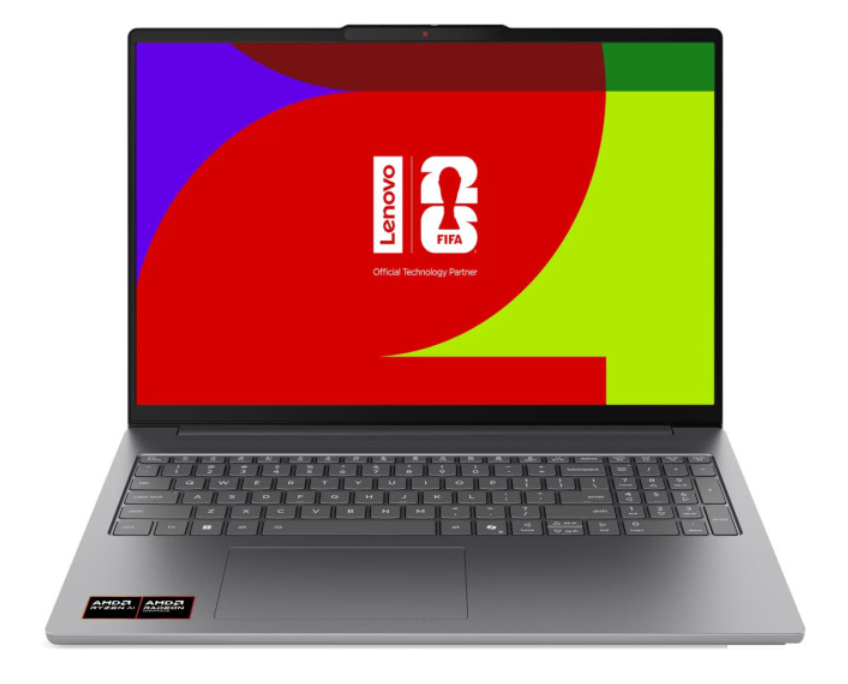
1. Lenovo IdeaPad Slim 5 — Best Laptop Under $800 Overall
SEE2GET Rating: 9.1/10
For most people, the Lenovo IdeaPad Slim 5 is the type of laptop we would start with when shopping below $800.
The reason is simple: it doesn’t specialize in just one thing.
Depending on configuration, the latest IdeaPad Slim 5 can be equipped with AMD Ryzen AI processors or Intel Core Ultra processors. Lenovo’s current AMD models support up to 32GB of DDR5 memory and up to two M.2 SSDs, giving the platform considerably more flexibility than many inexpensive thin-and-light laptops.
Display options are also surprisingly good. Depending on configuration, Lenovo offers 14-inch panels ranging from a 400-nit 120Hz IPS display to 2.8K 120Hz OLED with 100% DCI-P3 coverage.
Key specifications
| Feature | Lenovo IdeaPad Slim 5 |
|---|---|
| Screen | 14-inch class |
| Resolution | Up to 2.8K |
| Display | IPS or OLED |
| Refresh rate | Up to 120Hz |
| CPU | AMD Ryzen AI / Intel Core Ultra |
| RAM | Up to 32GB |
| Storage | Up to 1TB+ depending on configuration |
| Graphics | Integrated |
| OS | Windows 11 |
| Best for | Work, school, productivity |
Why we like it
- Excellent all-round performance
- Strong display options
- Up to 32GB RAM on current configurations
- Fast SSD storage
- Good port selection
- Portable design
- Strong value
What could be better?
Not every configuration has the excellent OLED panel. Some cheaper versions use relatively basic displays, so check the exact configuration before purchasing.
SEE2GET verdict: If you want one Windows laptop that can handle work, school, multitasking and everyday entertainment without obvious weaknesses, start here.
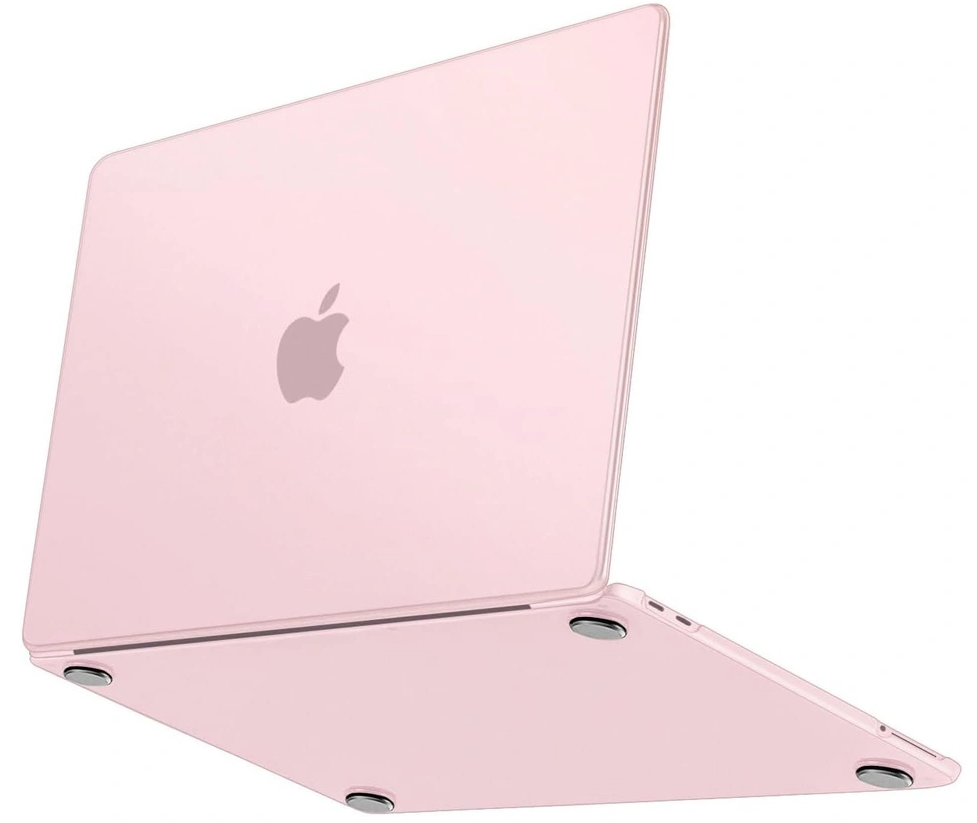
2. MacBook Neo — Best Budget Mac
SEE2GET Rating: 9.0/10
Apple’s MacBook Neo has changed what buyers should expect from a laptop below $800.
At around $699, it brings Apple’s ecosystem, an aluminum design, a compact display and strong everyday performance to a considerably lower price point than traditional MacBooks. Current 2026 reviews highlight its performance, battery life and premium construction as major strengths.
The biggest caveat is configuration.
The base model comes with 8GB RAM and 256GB storage, according to current market comparisons.
That isn’t necessarily a dealbreaker for browsing, documents, video streaming and normal productivity, but Windows alternatives can give you more RAM and storage for the same money.
Rating
| Category | Score |
|---|---|
| Performance | 9.1/10 |
| Display | 8.9/10 |
| Battery | 9.4/10 |
| Build quality | 9.5/10 |
| Portability | 9.5/10 |
| Value | 9.2/10 |
| Overall | 9.0/10 |
Best for
- Students
- Apple users
- Everyday productivity
- Travel
- Web browsing
- Office work
- People who value build quality
Watch out for
8GB RAM and 256GB storage can feel limiting for heavier workloads.
SEE2GET verdict: The MacBook Neo is one of the most compelling options if you want macOS and don’t need a workstation.
3. Dell XPS 13 — Best Compact Windows Laptop

SEE2GET Rating: 8.9/10
If portability is your priority, the Dell XPS 13 deserves a close look.
Current 2026 comparisons put the XPS 13 at around $700 for qualifying configurations, making it one of the more interesting premium Windows laptops below the $800 mark.
Its strengths include a compact design, strong performance and excellent battery life. Tom’s Guide’s current testing also highlights the 2026 XPS 13’s display and roughly 14.5-hour battery performance.
Rating
| Category | Score |
|---|---|
| Performance | 9.1/10 |
| Display | 9.1/10 |
| Battery | 9.3/10 |
| Build quality | 9.4/10 |
| Portability | 9.7/10 |
| Value | 8.6/10 |
| Overall | 8.9/10 |
Biggest advantages
- Extremely portable
- Premium construction
- Excellent battery life
- Sharp display
- Strong performance
Biggest disadvantage
Port selection is limited, with current budget configurations offering only two USB-C ports.
SEE2GET verdict: One of the best choices if your laptop spends as much time in a backpack as it does on a desk.
4. ASUS Zenbook 14 — Best Display Under $800

SEE2GET Rating: 8.8/10
For movie watching, photo work and anyone who simply wants a beautiful laptop screen, the ASUS Zenbook 14 is an excellent candidate.
Current 2026 comparisons place configurations around the $799 mark, with the display being one of the laptop’s biggest selling points.
Rating
| Category | Score |
|---|---|
| Performance | 8.9/10 |
| Display | 9.5/10 |
| Battery | 8.7/10 |
| Build quality | 9.2/10 |
| Portability | 9.2/10 |
| Value | 8.5/10 |
| Overall | 8.8/10 |
Best for
- Students
- Creators
- Streaming
- Photo editing
- Frequent travelers
- Premium Windows laptop buyers
One important consideration
Some current configurations use Windows on Arm, so software compatibility should be checked if you rely on older specialist applications.
SEE2GET verdict: If display quality is near the top of your priority list, the Zenbook 14 deserves serious consideration.
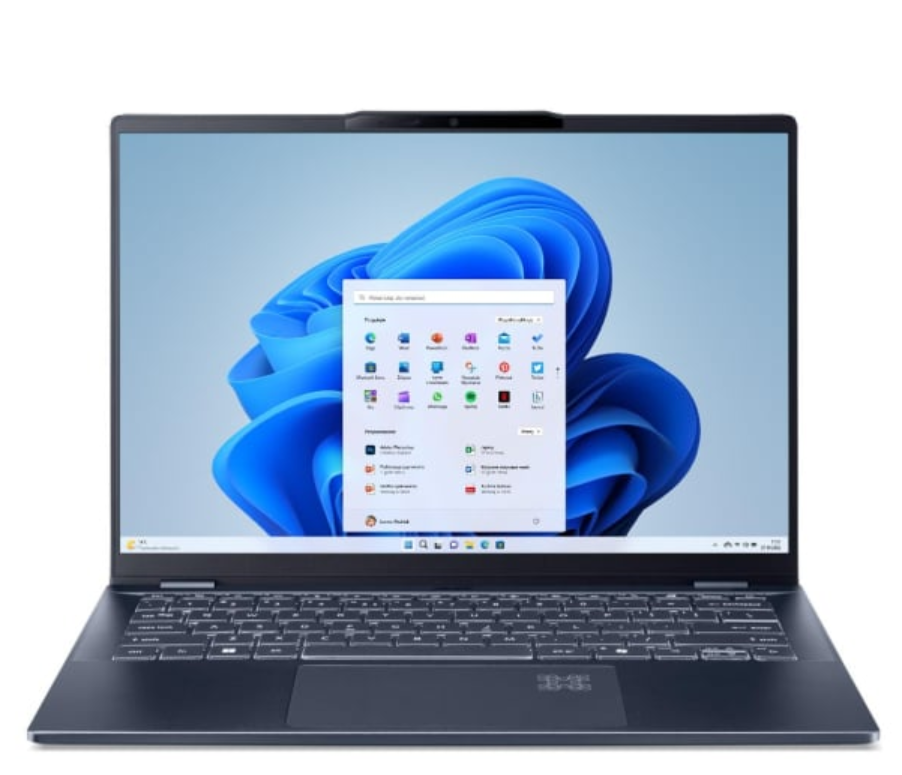
5. Acer Swift Air 14 — Best Everyday Windows Value
SEE2GET Rating: 8.6/10
The Acer Swift Air 14 is aimed at buyers who want a thin, light Windows laptop without paying for premium-brand pricing.
Current 2026 comparisons place it at roughly $700, making it one of the more attractive value options in this category.
Rating
| Category | Score |
|---|---|
| Performance | 8.5/10 |
| Display | 8.2/10 |
| Battery | 9.1/10 |
| Build quality | 8.4/10 |
| Portability | 9.4/10 |
| Value | 9.0/10 |
| Overall | 8.6/10 |
Why buy it?
- Lightweight
- Good battery life
- Strong everyday performance
- Competitive price
- Easy to carry
The compromise
The display isn’t as impressive as the best OLED-equipped laptops in this category.
SEE2GET verdict: A practical choice for students and office workers who care more about portability and value than having the most impressive screen.
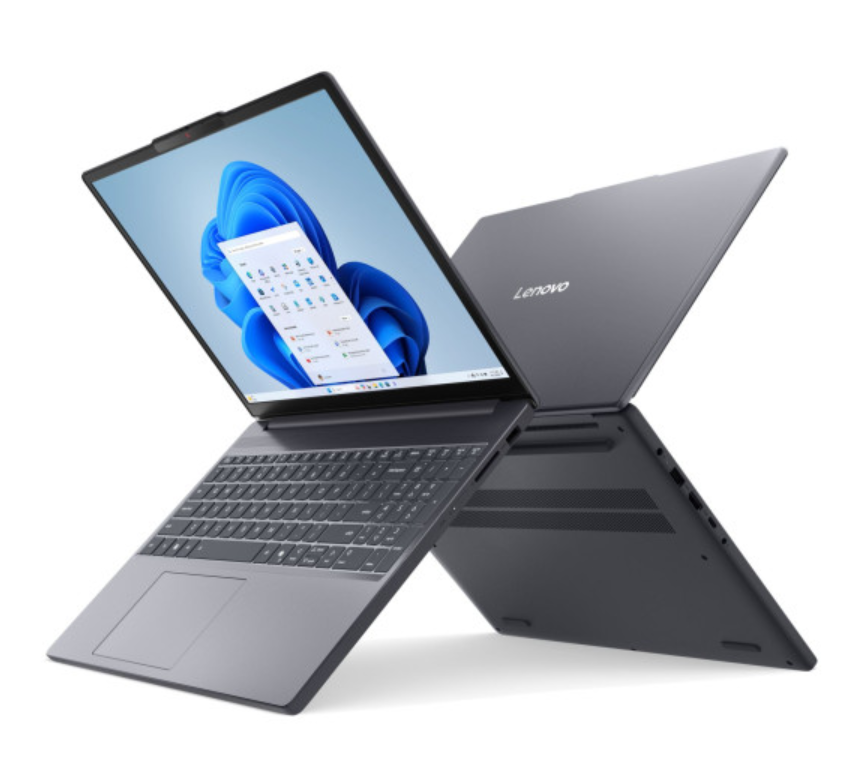
6. Lenovo IdeaPad Slim 3x — Best for Battery Life
SEE2GET Rating: 8.5/10
If battery life is your number-one priority, the IdeaPad Slim 3x deserves a place on your shortlist.
Current 2026 comparisons identify it as one of the strongest battery-focused options under $800.
Rating
| Category | Score |
|---|---|
| Performance | 8.3/10 |
| Display | 7.8/10 |
| Battery | 9.5/10 |
| Build quality | 8.2/10 |
| Portability | 8.7/10 |
| Value | 9.0/10 |
| Overall | 8.5/10 |
Best for
- Students
- Travelers
- Remote workers
- Long study sessions
- People who hate carrying chargers
The downside
The display is less impressive than premium options, and Windows on Arm means compatibility should be considered before buying.
SEE2GET verdict: If battery endurance matters more to you than display quality, this is one of the most interesting sub-$800 choices.
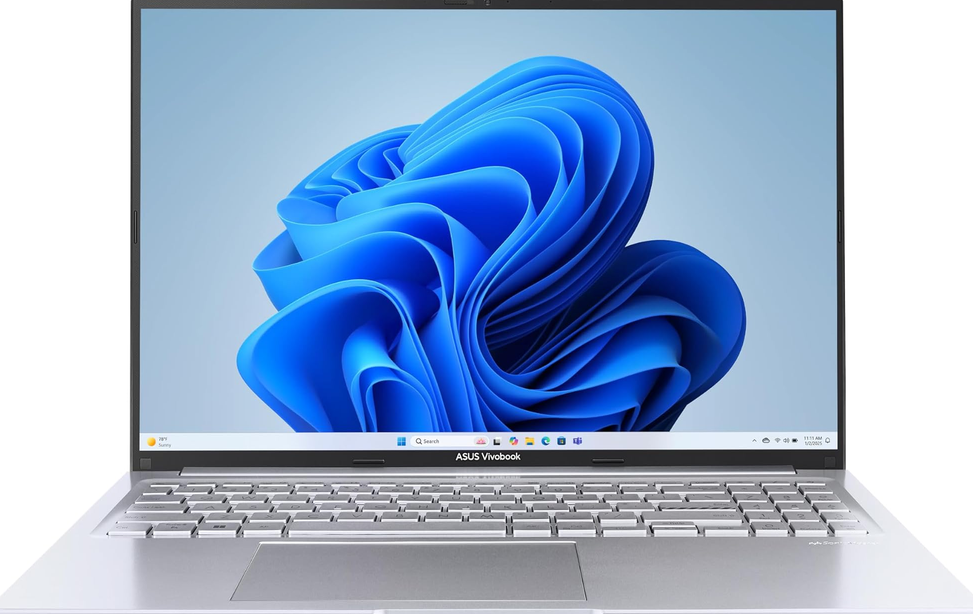
7. ASUS Vivobook 16 — Best Large-Screen Value
SEE2GET Rating: 8.4/10
Not everyone wants a 13- or 14-inch laptop.
For spreadsheets, documents, multitasking and watching movies, a 16-inch display can make a major difference.
The ASUS Vivobook 16 is therefore worth considering if portability isn’t your primary concern.
Rating
| Category | Score |
|---|---|
| Performance | 8.7/10 |
| Display | 8.1/10 |
| Battery | 8.1/10 |
| Build quality | 8.2/10 |
| Portability | 7.6/10 |
| Value | 9.0/10 |
| Overall | 8.4/10 |
A current Vivobook 16 configuration with a Core i5-13420H, 16GB RAM and 512GB SSD illustrates the kind of hardware that can be found at competitive pricing in this class.
Best for
- Office work
- Students
- Excel and spreadsheets
- Multitasking
- Home use
- Users who prefer large screens
SEE2GET verdict: Choose this type of laptop if screen size is more important to you than having the lightest possible machine.
Best Laptops Under $800 by Category
| Category | Our pick | Rating |
|---|---|---|
| Best overall | Lenovo IdeaPad Slim 5 | 9.1/10 |
| Best Mac | MacBook Neo | 9.0/10 |
| Best Windows ultraportable | Dell XPS 13 | 8.9/10 |
| Best display | ASUS Zenbook 14 | 8.8/10 |
| Best everyday value | Acer Swift Air 14 | 8.6/10 |
| Best battery life | Lenovo IdeaPad Slim 3x | 8.5/10 |
| Best large screen | ASUS Vivobook 16 | 8.4/10 |
Best Laptop Specs Under $800
The specifications you should target depend on how you use your computer.
| Component | Good | Better | What we’d choose |
|---|---|---|---|
| RAM | 8GB | 16GB | 16GB |
| Storage | 256GB SSD | 512GB SSD | 512GB+ |
| Display | 1080p IPS | 120Hz / OLED | 120Hz or OLED |
| CPU | Modern Core 5 / Ryzen 5 | Core Ultra / Ryzen AI | Modern midrange CPU |
| GPU | Integrated | Strong integrated | Integrated for most users |
| Battery | 7 hours | 10+ hours | 10+ hours |
| Wi-Fi | Wi-Fi 6 | Wi-Fi 6E/7 | Wi-Fi 6E or newer |
| Ports | USB-C + USB-A | USB-C + HDMI + USB-A | Multiple ports |
Is 8GB RAM Enough in 2026?
For basic computing, yes.
If you’re mainly browsing, writing documents, checking email and streaming video, 8GB can still work.
But 16GB is the sweet spot for a laptop you’re planning to keep for several years.
It becomes especially important if you regularly:
- Keep dozens of browser tabs open
- Use Photoshop or similar applications
- Work with large spreadsheets
- Run development tools
- Edit photos or video
- Use multiple external displays
- Multitask heavily
One of the notable trends in the 2026 budget market is that some premium sub-$800 machines still start with 8GB RAM, while competing Windows laptops can provide 16GB for similar money.
What Processor Should You Get for Under $800?
You don’t need a flagship CPU.
For most buyers, a modern midrange processor is more than enough.
For everyday use
Look for:
- Intel Core 5 / Core Ultra 5
- AMD Ryzen 5
- AMD Ryzen AI 5
- Apple’s current entry-level chips
For heavier multitasking
Move toward:
- Intel Core Ultra 7
- Ryzen 7
- Ryzen AI 7
The latest Lenovo IdeaPad Slim 5, for example, is available with Intel Core Ultra Series 3 processors and AMD Ryzen AI 400-series chips depending on configuration.
Do You Need a Dedicated Graphics Card?
Usually, no.
If you’re buying a laptop for:
- Microsoft Office
- Google Docs
- Web browsing
- Netflix
- Programming
- School
- Business
- Video calls
- Light photo editing
integrated graphics are perfectly adequate.
A dedicated GPU becomes more important for:
- Modern PC gaming
- 3D rendering
- Professional video editing
- CAD
- Blender
- GPU-accelerated creative applications
The problem is that gaming laptops under $800 often make compromises elsewhere—particularly weight, battery life, display quality and build quality.
If gaming is your main priority, we’d recommend increasing the budget or looking specifically for a sale on a laptop with a dedicated NVIDIA or AMD GPU.
Chromebook vs. Windows vs. Mac
Your operating system matters almost as much as the hardware.
| OS | Best for | Main advantage | Main drawback |
|---|---|---|---|
| Windows 11 | Most users | Broad software compatibility | More manufacturer variation |
| macOS | Apple users | Excellent integration and efficiency | Limited gaming/software compatibility |
| ChromeOS | Basic users | Simple and secure | Limited desktop applications |
Choose Windows if…
You want maximum software compatibility and hardware choice.
Choose macOS if…
You already use an iPhone and other Apple devices, and your applications are supported on Mac.
Choose ChromeOS if…
Your computing needs are mostly browser-based.
How We Rate Laptops at SEE2GET
We don’t believe a laptop should receive a high score simply because it has an impressive processor.
Our editorial scoring considers six major areas:
| Category | Weight |
|---|---|
| Performance | 25% |
| Display | 15% |
| Battery life | 15% |
| Build & portability | 15% |
| Features & usability | 10% |
| Value | 20% |
This weighting reflects how most people actually use laptops.
A laptop with a slightly slower processor but excellent battery life, a great display and 16GB RAM can be a better purchase than a machine with a faster CPU and a poor screen.
What We Would Buy
🏆 Best overall: Lenovo IdeaPad Slim 5
The best balance of performance, portability, display options, memory and value.
🍎 Best Mac: MacBook Neo
The obvious choice if you want macOS and value premium construction and battery life.
💼 Best Windows travel laptop: Dell XPS 13
Choose it when portability and battery life matter more than having lots of ports.
🖥️ Best display: ASUS Zenbook 14
A strong option for people who spend hours looking at their laptop screen.
🔋 Best battery: Lenovo IdeaPad Slim 3x
Ideal for students and travelers who don’t want to carry a charger everywhere.
💰 Best value: Acer Swift Air 14
A sensible choice when you want a lightweight Windows laptop without spending the full $800.
Final Verdict: What’s the Best Laptop Under $800?
For most people, we’d put the Lenovo IdeaPad Slim 5 at the top of the list.
It offers the right combination of performance, portability, display options, memory and storage flexibility. Current versions can be configured with modern Intel Core Ultra or AMD Ryzen AI processors, and some configurations support up to 32GB RAM and multiple SSDs.
But there’s no single best laptop for everyone.
If you want macOS, choose the MacBook Neo.
If you want the smallest premium Windows laptop, look at the Dell XPS 13.
If you want a beautiful display, consider the ASUS Zenbook 14.
If you want maximum battery life, the IdeaPad Slim 3x deserves a look.
And if you simply want the most laptop for your money, keep an eye on 16GB/512GB configurations from Lenovo, Acer and ASUS. Those specifications are becoming increasingly attractive below the $800 threshold.
The most important advice is simple: don’t buy based on the processor alone. At this price, the best laptop is the one with the right balance of RAM, storage, display, battery life and build quality for the way you actually work.
Frequently Asked Questions
What is the best laptop under $800?
The Lenovo IdeaPad Slim 5 is our best overall pick because it offers a strong combination of performance, display options, portability and value.
Is $800 enough for a good laptop?
Yes. In 2026, an $800 budget can get you a modern laptop with 16GB RAM, a fast SSD, a high-quality display and strong everyday performance. Current market comparisons show several premium and ultraportable options selling below this price.
Is 16GB RAM better than 8GB?
Yes, particularly if you want to keep your laptop for several years or regularly multitask. We recommend 16GB whenever the price difference is reasonable.
Should I buy a MacBook or Windows laptop?
Choose macOS if you prefer Apple’s ecosystem and your applications are compatible. Choose Windows if you want broader software compatibility, more hardware choices or easier access to gaming.
Can a $800 laptop run games?
Some can, but gaming isn’t the main strength of most thin-and-light laptops in this price range. For serious gaming, look for a model with a dedicated GPU and prioritize GPU performance over a premium chassis.
How much storage should a laptop have?
We recommend 512GB SSD as the sweet spot. A 256GB SSD can work for light users, but it fills up quickly once you install applications and store photos, videos and documents.
Is OLED worth it on a laptop?
For many users, yes. OLED provides excellent contrast, deep blacks and vibrant colors. It’s particularly attractive for movies, photo editing and general media consumption. The trade-offs can include higher cost, reflections on glossy panels and potentially different battery behavior depending on the panel.
Should I buy a laptop with an ARM processor?
ARM-based Windows laptops can offer excellent battery life and efficiency, but compatibility with specialized or older Windows software should be checked before buying. For maximum compatibility, a conventional Intel or AMD Windows laptop remains the safer choice.