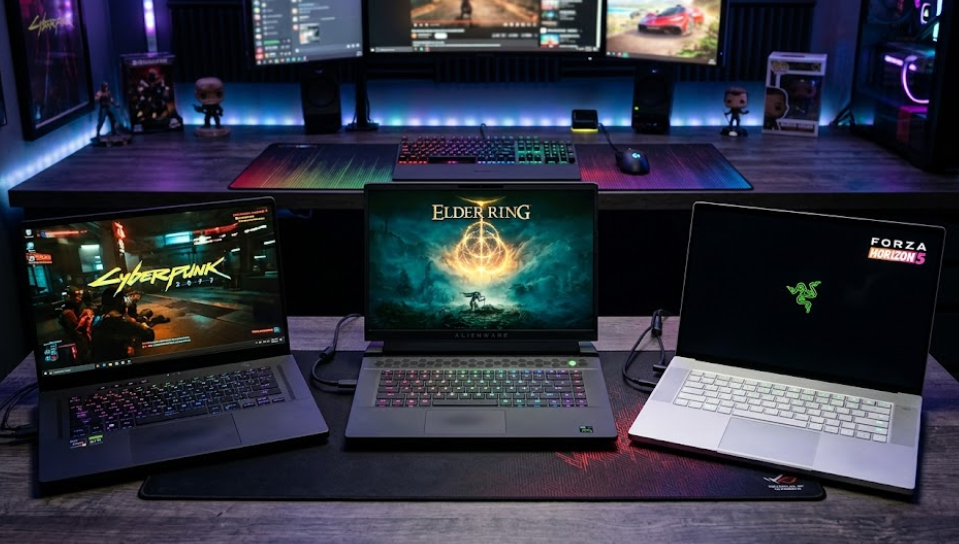
Gaming laptops promise something that desktop PCs cannot easily deliver: the ability to play demanding games without being tied to a desk. They combine powerful processors, dedicated graphics cards, high-refresh-rate displays, and portable designs in a single device. For gamers who travel, study, work, or simply don’t have room for a desktop setup, that combination can be extremely appealing.
But there’s a catch.
Gaming laptops are expensive, often run hot, can be surprisingly noisy, and generally offer less performance for the money than desktop computers. Their batteries rarely last long during demanding gaming sessions, and upgrading their internal hardware can be difficult or impossible.
That raises an important question: Is a gaming laptop actually the right investment, or would you be better off with a desktop PC, console, or handheld gaming device?
The answer depends on what you play, where you play, how much you’re willing to spend, and whether you need a computer for purposes beyond gaming.
This guide covers everything worth knowing before buying a gaming laptop, from understanding graphics cards and displays to avoiding overpriced configurations, finding better deals, and deciding when an alternative makes more sense.
1. What Is a Gaming Laptop, and How Is It Different from a Regular Laptop?
A gaming laptop is a portable computer designed to handle demanding graphical workloads, particularly modern PC games.
Unlike conventional office or everyday laptops, gaming models typically feature:
- A dedicated graphics processing unit (GPU).
- More powerful processors designed for sustained performance.
- Higher-performance cooling systems.
- Faster displays, often with refresh rates of 120Hz, 144Hz, 165Hz, or higher.
- More substantial power delivery and larger cooling components.
- Additional connectivity for gaming peripherals and external displays.
The most important difference is the dedicated graphics card.
Most everyday laptops rely on integrated graphics, which share system resources with the processor. This is perfectly adequate for browsing, streaming, office applications, and lightweight games.
However, demanding 3D games require considerably more graphics processing power. A dedicated GPU has its own processing resources and video memory (VRAM), allowing it to handle complex environments, lighting, textures, and visual effects more effectively.
Gaming laptop vs. regular laptop
| Feature | Regular laptop | Gaming laptop |
|---|---|---|
| Graphics | Usually integrated | Usually dedicated GPU |
| Processor | Efficiency-oriented | Often performance-oriented |
| Cooling | Compact and relatively quiet | Larger fans and cooling systems |
| Display | Typically 60–120Hz | Often 120–300Hz |
| Weight | Usually lighter | Often heavier |
| Battery life | Generally better | Often shorter under demanding workloads |
| Gaming performance | Casual and lightweight games | Moderate to demanding PC games |
| Upgradeability | Limited | Limited, but RAM and SSD may be replaceable |
| Price | Broad range, including budget models | Generally more expensive |
A gaming laptop isn’t necessarily better at everything. A premium ultrabook may offer a superior keyboard, longer battery life, lighter construction, and a better everyday experience.
A gaming laptop simply prioritises a different set of capabilities.
2. Who Actually Needs a Gaming Laptop?
Not everyone who enjoys video games needs a dedicated gaming computer.
In fact, many people would get better value from a regular laptop, console, or handheld device.
A gaming laptop makes the most sense when gaming performance and portability are both important.
Who should consider buying one?
1. Students who game and study on the same device
Students who need a computer for university assignments, programming, design software, engineering applications, or video editing may appreciate having a machine capable of handling demanding games as well.
A gaming laptop can replace two separate devices, provided its weight, battery life, and price are acceptable.
2. People who travel frequently
If you regularly move between home, university, work, and other locations, a gaming laptop offers flexibility that a desktop PC cannot.
You can take your games with you without having to rely on cloud gaming or a separate handheld.
3. PC gamers who participate in competitive multiplayer games
Games such as Counter-Strike 2, Valorant, Fortnite, and other competitive titles can benefit from high-refresh-rate displays and responsive hardware.
A gaming laptop with a suitable GPU and 144Hz or faster display can provide a competitive experience in a portable package.
4. Content creators who also play games
Video editors, streamers, 3D artists, and other creators can benefit from dedicated graphics hardware.
A capable gaming laptop can handle gaming alongside GPU-accelerated creative applications, making it a practical multipurpose workstation.
5. People who need one powerful computer for everything
If you don’t want to maintain separate computers for work, entertainment, and gaming, a gaming laptop can serve as an all-in-one solution.
This is particularly attractive when you have limited space or frequently change your working environment.
Who probably doesn’t need one?
You should think twice about buying a gaming laptop if:
- You primarily play casual games, indie titles, or older releases.
- You spend most of your gaming time at home.
- You already own a capable desktop PC.
- You mainly play console-exclusive titles.
- You rarely use demanding applications outside gaming.
- You prioritise battery life, portability, and quiet operation.
- Your budget is limited and you want the best possible gaming performance per euro.
For example, someone who mainly plays Minecraft, Stardew Valley, The Sims, or older strategy games might not need an expensive machine with a high-end graphics card.
A decent everyday laptop could be sufficient, depending on the game and settings.
Our verdict: Buy a gaming laptop because you need its combination of performance and mobility, not simply because you enjoy gaming.
3. Gaming Laptop vs. Desktop PC vs. Console vs. Handheld
Before choosing a gaming laptop, consider the alternatives.
Each gaming platform offers a different balance of price, performance, convenience, and flexibility.
Overall comparison
The following ratings are editorial assessments of each platform’s typical strengths, rather than measurements of individual products.
| Category | Gaming laptop | Desktop PC | Console | Handheld |
|---|---|---|---|---|
| Gaming performance | 4/5 | 5/5 | 4/5 | 3/5 |
| Portability | 4/5 | 1/5 | 1/5 | 5/5 |
| Value for money | 3/5 | 5/5 | 5/5 | 4/5 |
| Upgradeability | 2/5 | 5/5 | 1/5 | 2/5 |
| Ease of use | 4/5 | 3/5 | 5/5 | 4/5 |
| Game selection | 5/5 | 5/5 | 4/5 | 4/5 |
| Productivity | 5/5 | 5/5 | 1/5 | 2/5 |
| Battery independence | 2/5 | 1/5 | 1/5 | 4/5 |
Ratings reflect typical devices and can vary significantly between models.
Gaming laptop vs. desktop PC
A desktop computer is usually the better choice if maximum performance and long-term value are your priorities.
Desktop components generally have fewer thermal and power restrictions. They are also easier to upgrade, repair, and replace.
For the same general budget, a desktop gaming PC will often deliver better gaming performance than a laptop.
You can replace its graphics card, add storage, upgrade memory, and improve cooling without purchasing an entirely new computer.
A gaming laptop, however, wins in portability and convenience.
| Consideration | Better choice |
|---|---|
| Maximum gaming performance | Desktop PC |
| Performance per euro | Desktop PC |
| Portability | Gaming laptop |
| Upgradeability | Desktop PC |
| Easier repairs | Desktop PC |
| Small living spaces | Gaming laptop |
| Gaming while travelling | Gaming laptop |
| Long-term component upgrades | Desktop PC |
Choose a desktop if: You primarily game at home, have enough space, and want the best performance for your budget.
Choose a gaming laptop if: You need a computer that can travel with you and still run demanding games.
Gaming laptop vs. console
Consoles such as the PlayStation 5 and Xbox Series X offer a much simpler gaming experience.
You don’t need to compare processors, graphics cards, RAM configurations, cooling systems, or GPU power limits.
You buy the console, connect it to a television, install your games, and start playing.
Consoles also offer several advantages:
- A relatively predictable hardware experience.
- Games optimised for a specific platform.
- Straightforward controller support.
- A comfortable living-room gaming experience.
- Lower initial hardware costs than many gaming laptops.
However, consoles are less versatile.
They aren’t designed to replace a full computer, and their game libraries differ from PC platforms. You also have fewer options for customisation, modifications, and graphical settings.
| Consideration | Gaming laptop | Console |
|---|---|---|
| Initial cost | Usually higher | Usually lower |
| Gaming convenience | Good | Excellent |
| PC game library | Excellent | Platform-dependent |
| Work and productivity | Excellent | Limited |
| Portability | Good | Poor |
| Hardware customisation | Limited | Very limited |
| Mouse and keyboard gaming | Excellent | Game-dependent |
Choose a console if: You primarily want to play games at home and don’t need a computer for demanding work.
A console and an affordable laptop can also be a more sensible combination than an expensive gaming laptop.
Gaming laptop vs. handheld gaming device
Handheld gaming devices occupy an interesting middle ground between consoles and computers.
Devices such as the Steam Deck OLED and ASUS ROG Ally allow you to play PC games using built-in controls and a compact screen.
Their main advantage is convenience.
You can play while travelling, sitting on a sofa, relaxing in bed, or waiting somewhere without carrying a full laptop.
The Steam Deck OLED, for example, has a 7.4-inch OLED display, a 50Wh battery, and an advertised gameplay battery range of approximately 3–12 hours, depending on usage. Actual runtime varies considerably with game demands and settings.
| Consideration | Gaming laptop | Handheld gaming device |
|---|---|---|
| Graphics performance | Higher | Lower |
| Portability | Good | Excellent |
| Screen size | Larger | Smaller |
| Battery life while gaming | Usually shorter | Often longer |
| PC game compatibility | Broad | Game-dependent |
| Productivity | Excellent | Limited |
| Competitive gaming | Better suited | Less convenient |
| Travel convenience | Good | Excellent |
| Price | Usually higher | Usually lower |
Handhelds do have limitations.
Not every PC game works perfectly on them. Some titles require keyboard and mouse controls, while others have launcher, compatibility, or anti-cheat restrictions.
Steam’s Deck Verified system helps buyers understand compatibility by categorising games as Verified, Playable, Unsupported, or Unknown.
Choose a handheld if: You value convenience and portability more than maximum graphical performance.
Choose a gaming laptop if: You want to play demanding PC games, use conventional computer applications, and have a larger screen.
4. How to Choose a Gaming Laptop: The Components That Actually Matter
Once you’ve decided that a gaming laptop makes sense, the next challenge is understanding the specifications.
Manufacturers often advertise impressive-sounding numbers, but not every specification has the same impact on gaming performance.
Here are the most important components to consider.
4.1. Graphics card (GPU): Your highest priority
The graphics card is generally the most important component in a gaming laptop.
It determines how well the machine renders games, how high you can set graphical details, and how smoothly it can handle demanding environments.
Most gaming laptops use dedicated GPUs from NVIDIA or AMD, although Intel also offers discrete graphics products.
NVIDIA’s GeForce RTX laptop lineup is particularly common in modern gaming laptops.
When comparing graphics cards, consider:
- GPU generation.
- Graphics processing capabilities.
- VRAM capacity.
- Power consumption.
- Thermal performance.
- Support for upscaling and frame-generation technologies.
One important distinction: laptop graphics cards are not identical to desktop graphics cards carrying the same name.
Laptop GPUs operate within tighter power and cooling limits, so their performance can differ considerably.
Understanding GPU tiers
Rather than choosing a laptop simply because it has the newest graphics card, consider what kind of gaming experience you want.
| GPU class | Best suited for | Typical gaming target | Value assessment |
|---|---|---|---|
| Entry-level discrete GPU | Casual and lighter games | 1080p, adjusted settings | Good for tight budgets |
| RTX 5060-class laptop GPU | Mainstream gaming | 1080p high settings | Strong mainstream option |
| RTX 5070 / 5070 Ti-class | More demanding games | 1080p high or 1440p | Good performance balance |
| RTX 5080-class | Enthusiast gaming | 1440p high settings | Premium performance |
| RTX 5090-class | Maximum portable performance | Demanding 1440p and 4K workloads | Very expensive |
These are broad positioning categories, not guaranteed performance levels. Actual results depend on GPU power limits, cooling, game optimisation, and resolution.
What is TGP, and why should you care?
One of the most overlooked gaming laptop specifications is TGP (Total Graphics Power).
TGP describes the power budget available to the GPU.
Two laptops can feature the same graphics card but deliver noticeably different performance because one manufacturer allows the GPU to consume more power than another.
For example, an RTX 5060 laptop operating at a higher power limit may outperform another RTX 5060 laptop with a substantially lower power limit.
This is why comparing graphics card names alone is insufficient.
Before purchasing, look for:
- The exact GPU model.
- Its maximum advertised TGP.
- Independent performance benchmarks.
- Reviews assessing temperatures and sustained performance.
If the retailer doesn’t list the TGP, consult the manufacturer’s technical specifications or ask the seller.
Our recommendation: Prioritise a well-cooled, appropriately powered mid-range GPU over a more impressive GPU name in an overly restrictive chassis.
4.2. Processor (CPU): Don’t overspend unnecessarily
The CPU handles game logic, physics calculations, background processes, and general computing tasks.
A capable processor is important, particularly for competitive games, simulation titles, strategy games, and applications that benefit from multiple processing cores.
The two main processor manufacturers to consider are Intel and AMD.
Both offer capable gaming laptop processors.
When comparing CPUs, pay attention to:
- Processor generation.
- Core and thread count.
- Clock speeds.
- Power consumption.
- Sustained performance.
- Cooling requirements.
A common mistake is spending too much on the CPU while compromising on the graphics card.
For most gaming-focused buyers, a balanced mid-range processor paired with a stronger GPU is a better investment than an expensive flagship CPU combined with weaker graphics.
A high-end processor makes more sense if you also plan to stream, edit video, render 3D projects, or run demanding productivity applications.
4.3. RAM: How much memory do you need?
RAM allows your computer to keep active applications and game data readily accessible.
Insufficient memory can cause stuttering, slowdowns, and problems when multitasking.
For a modern gaming laptop, these are reasonable buying targets:
| RAM capacity | Recommendation | Suitable for |
|---|---|---|
| 8GB | Avoid for a new gaming laptop | Very light gaming |
| 16GB | Good starting point | Most mainstream gaming |
| 32GB | Recommended for heavier use | Modern games, multitasking, streaming |
| 64GB | Specialist option | Heavy content creation and professional workloads |
For most buyers, 16GB is a practical minimum, while 32GB offers more breathing room.
If you’re buying a laptop for several years of gaming, 32GB is worth considering, particularly if you regularly keep multiple applications open.
Also check whether the memory is upgradeable.
Some laptops use replaceable SO-DIMM modules, while others have RAM soldered directly onto the motherboard.
A laptop with soldered 16GB memory may leave you stuck with that capacity for its entire lifespan.
4.4. Storage: SSD capacity matters more than you might think
Modern games can occupy enormous amounts of storage.
A single large game can consume well over 100GB, while several installed titles can quickly fill a small SSD.
For gaming laptops, an NVMe SSD is the preferred choice.
Our recommendations:
| Storage capacity | Verdict |
|---|---|
| 256GB | Too restrictive |
| 512GB | Acceptable starting point |
| 1TB | Recommended for most gamers |
| 2TB | Excellent for large game libraries |
| 4TB | Best for extensive libraries and professional workloads |
Check whether the laptop has an additional M.2 SSD slot.
This can make future storage expansion significantly cheaper than replacing the original drive.
Remember that SSD capacity and upgradeability can be more important than small differences in advertised drive speeds.
4.5. Display: Resolution, refresh rate, and panel technology
Your display directly influences how games look and feel.
A powerful GPU paired with a poor-quality screen is an unbalanced purchase.
There are three primary factors to consider.
Resolution
Common gaming laptop resolutions include:
- Full HD (1920 × 1080).
- WUXGA (1920 × 1200).
- QHD or QHD+ (2560 × 1440 or 2560 × 1600).
- 4K (3840 × 2160).
Higher resolutions produce sharper images but require more GPU power.
For most gaming laptops, 1080p or 1200p offers a good balance between image quality and performance.
QHD is particularly attractive for mid-range and premium machines with sufficiently powerful graphics.
4K is generally best reserved for high-end hardware, particularly if you want to maintain high frame rates.
Refresh rate
Refresh rate determines how many times per second the display can update its image.
A 60Hz display refreshes 60 times per second, while a 144Hz display can refresh 144 times per second.
Higher refresh rates can make movement look smoother and improve the perceived responsiveness of games.
| Refresh rate | Rating | Best suited for |
|---|---|---|
| 60Hz | 2/5 | Everyday use and casual gaming |
| 120Hz | 4/5 | Mainstream gaming |
| 144Hz | 5/5 | Excellent all-round choice |
| 165Hz | 5/5 | Competitive and fast-paced gaming |
| 240Hz | 5/5 | Competitive gaming |
| 300Hz+ | Specialist | Esports enthusiasts |
Remember that the GPU must produce enough frames to take advantage of a high-refresh-rate display.
A 240Hz screen doesn’t automatically mean you’ll get 240 FPS.
Panel technology
You’ll generally encounter three main display technologies:
| Panel type | Advantages | Disadvantages |
|---|---|---|
| IPS | Good colours and viewing angles | Contrast is generally lower than OLED |
| OLED | Excellent contrast, deep blacks, fast response | More expensive; potential burn-in considerations |
| Mini-LED | High brightness and strong HDR performance | Can suffer from blooming |
For most people, a good IPS display is perfectly adequate.
OLED is worth considering if you care about image quality, contrast, and cinematic gaming.
Mini-LED is particularly interesting for people who play HDR-supported games or use their laptops in bright environments.
4.6. Cooling: The specification manufacturers don’t advertise enough
Gaming laptops generate considerable heat.
Their processors and graphics cards work hard during demanding gaming sessions, and the compact chassis makes heat dissipation more difficult than on a desktop PC.
This is why cooling deserves as much attention as the CPU and GPU.
Poor cooling can lead to thermal throttling, where components reduce their operating speeds to manage temperatures.
The result can be inconsistent frame rates and reduced sustained performance.
Look for:
- Multiple cooling fans.
- Well-designed heat pipes or vapour chambers.
- Adequate ventilation.
- Effective exhaust placement.
- Reviews that measure temperatures under sustained gaming loads.
Don’t assume a thicker laptop is automatically better, but be cautious about extremely thin machines that promise desktop-class performance.
A well-designed cooling system is often more valuable than decorative RGB lighting or an unnecessarily elaborate exterior.
4.7. Battery life: Manage your expectations
Here’s something gaming laptop advertisements don’t always make clear: powerful gaming laptops are not necessarily good unplugged gaming machines.
Demanding games consume substantial amounts of energy.
When running at full performance, many gaming laptops drain their batteries quickly and may reduce GPU performance when disconnected from the charger.
Battery life also depends on display brightness, refresh rate, CPU efficiency, background applications, and power settings.
If you regularly work away from a power outlet, look for independent battery tests covering:
- Web browsing.
- Video playback.
- Office productivity.
- Light gaming.
- Demanding gaming.
Don’t rely exclusively on manufacturer battery-life estimates.
Our recommendation: Consider gaming laptops as portable computers rather than devices designed for hours of high-performance gaming without a charger.
4.8. Keyboard, trackpad, ports, and connectivity
These features might seem secondary, but they influence everyday usability.
A good gaming laptop should offer:
- Comfortable keyboard layout.
- Sufficient key travel.
- Reliable Wi-Fi.
- Bluetooth connectivity.
- Multiple USB ports.
- HDMI or DisplayPort connectivity.
- A suitable audio connection.
- USB-C connectivity, ideally with the required display and charging capabilities.
Also check the position of the ports.
Some gaming laptops place power connections, video outputs, and networking ports at the rear, which can help keep cables away from your mouse area.
If you plan to use an external monitor, keyboard, and mouse, connectivity becomes particularly important.
5. What Gaming Laptop Should You Buy? Five Buyer Profiles
Instead of recommending one expensive laptop to everyone, it makes more sense to match specifications to your actual requirements.
Here are five useful purchasing profiles.
| Buyer profile | Recommended configuration | Budget priority | Overall rating |
|---|---|---|---|
| Casual gamer | Entry-level discrete GPU, 16GB RAM, 512GB SSD | Keep costs low | 5/5 |
| Mainstream gamer | RTX 5060-class GPU, 16–32GB RAM, 1TB SSD | Balanced performance | 5/5 |
| Enthusiast | RTX 5070 Ti-class GPU, 32GB RAM, 1TB SSD | GPU and cooling | 5/5 |
| Competitive gamer | Strong GPU, 144–240Hz display, capable CPU | Frame rates and display | 5/5 |
| Creator and gamer | Powerful GPU, 32–64GB RAM, 1–2TB SSD | Performance and memory | 5/5 |
These configurations are buying targets rather than fixed requirements. Check the performance of the exact laptop before purchasing.
The best all-round configuration
For someone who wants a gaming laptop that can handle modern games without spending a fortune, we’d generally prioritise:
- A capable mid-range dedicated GPU.
- A recent AMD or Intel processor.
- 32GB RAM where affordable, or upgradeable 16GB RAM.
- A 1TB NVMe SSD.
- A 1080p or 1200p display with at least 144Hz.
- Effective cooling.
- A reasonable weight and build quality.
This combination offers a sensible balance between performance, longevity, and price.
6. How Much Should You Spend on a Gaming Laptop?
Gaming laptops are available across a broad range of prices.
However, the most expensive machine isn’t necessarily the best purchase.
The ideal budget depends on the games you play and the performance you expect.
The following ranges are illustrative European-market shopping budgets, not verified live retail prices. Actual prices vary by country, retailer, configuration, and promotions.
| Price range | What to expect | Who should consider it |
|---|---|---|
| Under €700 | Limited gaming performance; older or entry-level hardware | Very casual gamers |
| €700–€1,000 | Entry-level dedicated graphics in discounted configurations | Budget-conscious buyers |
| €1,000–€1,500 | Stronger mainstream gaming performance | Most gamers |
| €1,500–€2,000 | Higher-performance GPUs and better displays | Enthusiasts |
| €2,000–€3,000 | Premium hardware and more advanced designs | Demanding gamers and creators |
| Above €3,000 | High-end portable performance and luxury features | Buyers with specialist needs |
One important consideration: a laptop’s price should be judged against its exact specifications, not its product family or marketing category.
A €1,200 laptop with a powerful, well-cooled GPU may be a better purchase than a €1,500 model with a weaker GPU and more decorative extras.
7. How to Save Money When Buying a Gaming Laptop
Gaming laptops can be expensive, but there are several ways to avoid overspending.
1. Don’t automatically buy the newest generation
Previous-generation hardware can offer excellent value.
A laptop with an older but capable GPU may outperform a newer entry-level configuration.
Compare actual gaming benchmarks rather than relying on generation numbers.
2. Prioritise the GPU over unnecessary extras
If gaming is your primary purpose, allocate most of your budget to the graphics card.
You don’t necessarily need:
- The most expensive processor.
- 64GB RAM.
- A 4K display.
- An extremely high refresh rate.
- Premium RGB lighting.
- A luxurious aluminium chassis.
Spend money on components that improve your actual gaming experience.
3. Consider refurbished and open-box laptops
Manufacturer-refurbished and retailer-certified products can offer meaningful savings.
However, gaming laptops deserve careful inspection because their components experience substantial heat during operation.
Before buying, check:
- Battery health.
- Fan condition.
- GPU and CPU temperatures.
- Screen condition.
- Keyboard and trackpad functionality.
- Warranty coverage.
- Return policy.
- Exact hardware configuration.
A used laptop without a meaningful warranty isn’t automatically a bargain.
4. Look for seasonal discounts
Good opportunities often appear during:
- Black Friday.
- Cyber Monday.
- Back-to-school promotions.
- Summer sales.
- End-of-generation clearance events.
- Manufacturer anniversary promotions.
Don’t assume every advertised discount is genuine.
Compare the current price with the laptop’s previous selling price and similar configurations at other retailers.
5. Buy a laptop with upgradeable RAM and storage
You may be able to save money by buying a configuration with 16GB RAM and upgrading it later.
The same applies to SSD storage.
However, check the manufacturer’s specifications first. Some laptops have soldered memory or only one storage slot.
Also consider whether performing upgrades yourself affects warranty coverage under local rules and manufacturer policies.
6. Don’t pay for a display your GPU cannot fully utilise
A 4K 240Hz display might look impressive, but it can be unnecessary if the laptop’s GPU cannot consistently deliver high frame rates at that resolution.
A good 1440p or 1200p panel may provide a better overall experience for considerably less money.
7. Compare complete configurations
Laptop manufacturers often reuse the same product name across several hardware configurations.
Two laptops that look identical can have different GPUs, displays, memory capacities, and cooling limits.
Always compare the exact model number and configuration.
Money-saving rule: Buy the performance you need, not the specifications that look most impressive on a product page.
8. The Nuances of Gaming on a Laptop: What Nobody Tells You
Gaming on a laptop is not simply the desktop PC experience in a smaller package.
There are several practical differences that become apparent only after using one regularly.
Gaming laptops can be surprisingly loud
Cooling fans need to move large amounts of air through a relatively compact chassis.
During demanding games, this can produce considerable fan noise.
Some laptops offer quiet, balanced, and performance modes, allowing you to adjust the noise-to-performance balance.
However, quieter operation usually means reduced performance.
If you frequently play without headphones, fan noise deserves attention.
Heat affects comfort
Gaming laptops can become noticeably warm during long gaming sessions.
The keyboard area, underside, and exhaust vents may all experience elevated temperatures.
This is normal to some extent, but excessive heat can indicate inadequate cooling or poor ventilation.
Avoid placing a gaming laptop on a bed, blanket, or soft surface that blocks its ventilation openings.
A hard, flat surface is preferable.
Performance can change when unplugged
A gaming laptop may deliver substantially different frame rates depending on whether it is connected to its power adapter.
Many manufacturers restrict CPU and GPU power when running on battery.
Some laptops also use different performance profiles depending on the power source.
If you want consistent gaming performance, expect to play while plugged in.
External monitors can improve the experience
One of the biggest advantages of gaming laptops is their flexibility.
You can use the built-in display while travelling and connect an external monitor at home.
A gaming laptop with the right GPU and connectivity can support a much larger gaming setup.
You can also connect:
- An external keyboard.
- A gaming mouse.
- A controller.
- A headset.
- External speakers.
- Additional storage.
This creates a desktop-like experience without requiring a separate computer.
Before buying, check whether the laptop’s HDMI or USB-C ports connect directly to the dedicated GPU, particularly if you plan to use high-refresh-rate external displays.
Some laptop components are difficult to upgrade
Unlike desktop computers, gaming laptops generally have limited upgrade options.
The GPU and CPU are typically soldered to the motherboard.
You may be able to upgrade RAM and SSD storage, but this depends on the particular model.
This makes your initial purchase particularly important.
Choose a configuration that meets your needs for the foreseeable future.
Not every laptop GPU performs equally
This deserves repeating.
The same graphics card can produce different results in different laptops because of variations in power limits, cooling, and system design.
Never judge a gaming laptop exclusively by its GPU model.
Independent benchmarks of the exact configuration are much more useful.
Gaming laptops can have shorter useful lifespans for demanding games
A gaming laptop doesn’t necessarily stop working after a few years.
However, its ability to run the newest games at high settings may decline as software requirements increase.
Because replacing the GPU is generally impossible, you cannot easily extend its gaming capabilities through a graphics card upgrade.
This is another reason to avoid buying a configuration that barely meets your current requirements.
9. How to Make Your Gaming Laptop Last Longer
A gaming laptop is a significant investment, so looking after it makes financial sense.
Here are some practical maintenance habits.
Keep the cooling system clean.
Dust can accumulate in fans and ventilation openings, reducing airflow.
Clean the laptop periodically according to the manufacturer’s instructions.
Use a suitable surface.
Avoid soft surfaces that obstruct air intake.
A cooling stand can sometimes improve airflow, although its effectiveness depends on the laptop’s design.
Monitor temperatures.
Use reliable monitoring software to check CPU and GPU temperatures during demanding games.
Occasional temperature spikes aren’t necessarily a problem, but consistently excessive temperatures deserve investigation.
Update drivers.
Keep graphics drivers and system software reasonably up to date.
Driver updates can improve compatibility, fix bugs, and occasionally increase gaming performance.
Look after the battery.
If your laptop offers a battery charge-limiting feature, consider enabling it when you regularly use the machine plugged in.
Avoid exposing the laptop to excessive heat unnecessarily.
Don’t ignore unusual fan behaviour.
Grinding noises, sudden shutdowns, or persistent performance drops may indicate cooling problems.
Addressing these issues early can prevent more serious damage.
10. Common Gaming Laptop Buying Mistakes
Before making your purchase, watch out for these mistakes.
| Mistake | Why it’s a problem | What to do instead |
|---|---|---|
| Choosing based on GPU name alone | Laptop GPUs have different power limits | Check TGP and benchmarks |
| Buying only 8GB RAM | Modern games and multitasking need more | Choose 16GB minimum |
| Ignoring storage capacity | Games quickly fill small SSDs | Aim for 1TB |
| Paying for 4K unnecessarily | High resolutions demand more GPU power | Match resolution to GPU |
| Ignoring cooling | Poor cooling can reduce sustained performance | Read thermal reviews |
| Expecting long gaming battery life | Demanding games consume substantial power | Check independent tests |
| Choosing the cheapest configuration | Important components may be compromised | Compare exact specifications |
| Ignoring upgradeability | Future upgrades may be impossible | Check RAM and SSD slots |
| Buying a thin laptop without checking thermals | Compact designs can restrict sustained performance | Read long-duration benchmarks |
| Overpaying for premium extras | Aesthetics don’t necessarily improve gaming | Prioritise performance |
11. Gaming Laptop Buying Checklist
Before purchasing, use this checklist to compare your shortlisted models.
Performance
- Does the GPU meet the requirements of the games I play?
- Have I checked the GPU’s TGP?
- Are there independent gaming benchmarks?
- Is the processor sufficiently powerful?
- Does the laptop have at least 16GB RAM?
Display
- Is the resolution appropriate for the GPU?
- Is the refresh rate sufficient?
- Is the panel quality acceptable?
- Is the brightness suitable for my environment?
Storage and upgradeability
- Does it have at least a 512GB SSD?
- Would 1TB be more appropriate?
- Can I upgrade the RAM?
- Is there an additional SSD slot?
Everyday usability
- Is the laptop comfortable to carry?
- Is the keyboard suitable for everyday use?
- Are the ports sufficient?
- Is battery life acceptable for my non-gaming activities?
- Is fan noise reasonable?
Value and reliability
- Have I compared similar configurations?
- Is the cooling system effective?
- Does the laptop have a good warranty?
- Is the seller reputable?
- Have I checked the return policy?
- Is the price genuinely competitive?
If a laptop fails several important checks, consider another model rather than compromising on features you’ll use every day.
12. Final Verdict: Are Gaming Laptops Worth It?
Gaming laptops are excellent devices for the right audience.
They combine a powerful computer and a gaming machine in one portable package, making them particularly useful for students, frequent travellers, creators, and people who need a versatile computer.
However, their convenience comes at a price.
You generally pay more for less gaming performance than you would receive from a desktop PC. You also have to accept shorter battery life during demanding games, more fan noise, higher operating temperatures, and limited upgradeability.
The most important thing is to understand what you’re paying for.
If portability is essential and you want one machine for gaming, work, and entertainment, a gaming laptop can be an excellent investment.
If you primarily play at home, a desktop PC will usually provide better performance and upgradeability for your money.
If you simply want to enjoy games on a television, a console is often the more straightforward and economical option.
And if portability is your main priority, a handheld gaming device might be a better fit.
Our final recommendations
| Your situation | Our recommendation | Rating |
|---|---|---|
| You need a powerful portable computer | Gaming laptop | 5/5 |
| You want maximum gaming performance per euro | Desktop PC | 5/5 |
| You mainly play on a television | Console | 5/5 |
| You want to game while travelling without carrying a laptop | Handheld | 5/5 |
| You mainly play lightweight games | Regular laptop | 5/5 |
| You want one computer for gaming and creative work | Gaming laptop | 4.5/5 |
| You already own a powerful desktop | Keep your desktop or consider a handheld | 4.5/5 |
The bottom line: The best gaming laptop isn’t necessarily the most powerful, the most expensive, or the one with the most impressive specifications.
It’s the machine that delivers the performance you actually need, fits your lifestyle, and doesn’t force you to pay for features you’ll rarely use.
Before spending your money, compare the exact hardware, check independent performance tests, and think carefully about whether you really need a laptop in the first place.
That’s how you make a smarter buying decision.