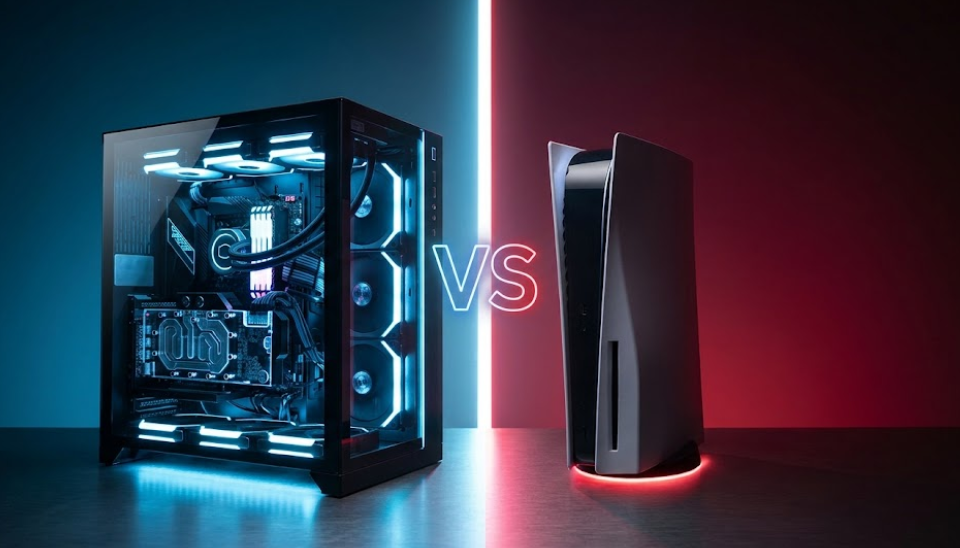
Choosing between a gaming PC and a console isn’t just about graphics or performance. It’s about your budget, the games you enjoy, where you prefer to play, and how much flexibility you want from your gaming setup. This guide explores the advantages and disadvantages of both platforms to help you make an informed buying decision.
Gaming has never offered more ways to play. From powerful desktop PCs and portable gaming laptops to living-room consoles and handheld gaming devices, there is a platform for almost every type of player and budget.
However, having more options can make choosing the right system surprisingly difficult. A gaming PC promises customization, a vast game library, and the freedom to upgrade individual components. A console offers a more straightforward experience, standardized hardware, and convenient access to games without the need to research technical specifications.
Neither option is automatically better. The right choice depends on what you want from your gaming experience.
If you enjoy competitive shooters, strategy games, extensive modifications, and high-refresh-rate gaming, a PC may be the better investment. If you prefer relaxing on the sofa with a controller and playing major releases without worrying about hardware configurations, a console may suit you better.
There’s also an important consideration that many buying guides overlook: you don’t necessarily need the latest hardware to enjoy excellent games. Previous-generation consoles still offer extensive libraries of acclaimed titles, while older PC hardware can remain perfectly capable of running thousands of games.
In this SEE2GET guide, we’ll examine the pros and cons of PC and console gaming, explore different ways to play on a PC, compare costs and performance, and explain which platform offers the best value for different types of gamers.
1. Gaming PC vs. Console: Understanding the Difference
Before comparing their advantages and disadvantages, it helps to understand what separates a gaming PC from a console.
What Is a Gaming PC?

A gaming PC is a desktop computer or laptop equipped to run video games. Depending on the configuration, it may feature a dedicated graphics card, a powerful processor, fast storage, and sufficient memory for demanding games.
One of its defining characteristics is flexibility. You can select hardware to match your budget, adjust graphics settings, use different input devices, and upgrade compatible components as your needs change.
A gaming PC also functions as a regular computer. You can use it for browsing, work, studying, programming, video editing, streaming, and other tasks.
Importantly, PC gaming isn’t limited to sitting at a desk. You can play on a desktop monitor, connect your PC to a television, use a gaming laptop while travelling, or choose a handheld gaming PC with an integrated screen and controls.
This variety makes PC gaming appealing to people who want more control over their hardware and how they play.
What Is a Gaming Console?
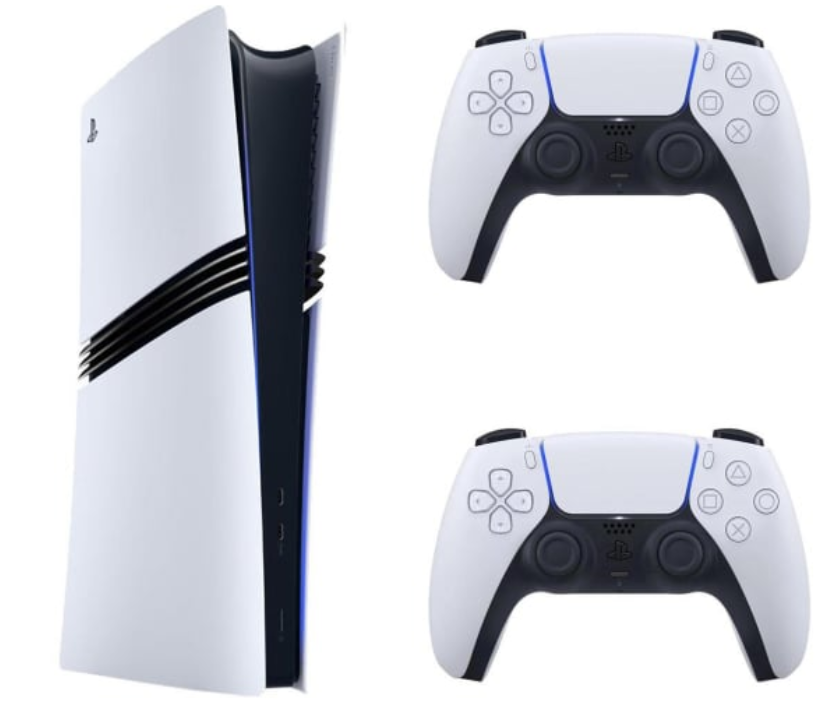
A gaming console is a dedicated gaming device designed around a standardized hardware configuration and operating system.
Examples include Sony’s PlayStation consoles, Microsoft’s Xbox consoles, and Nintendo’s Switch family.
Consoles are designed to make gaming relatively straightforward. You connect the device to a compatible display, complete the initial setup, install or access your games, and start playing.
Because developers work with a defined hardware target, they can optimize games for the capabilities of a particular console. Players generally don’t need to choose graphics cards, check processor compatibility, or adjust as many technical settings as they might on a PC.
Consoles are particularly popular for living-room gaming, controller-based experiences, and playing with friends or family.
Some systems also support handheld or hybrid play, making portability another factor worth considering.
Ultimately, the difference is straightforward: PC gaming emphasizes flexibility and customization, while console gaming emphasizes convenience and a consistent experience.
2. The Advantages of Gaming on a PC
PC gaming offers several benefits that make it particularly attractive to enthusiasts, competitive players, and people who want a versatile gaming system.
More Control Over Performance and Graphics
One of the biggest advantages of a gaming PC is the ability to customize how games look and perform.
Depending on your hardware and the game, you can adjust resolution, texture quality, shadows, lighting, anti-aliasing, and other graphics settings.
You can prioritize visual quality, aim for higher frame rates, or find a balance between the two.
For example, competitive players might lower certain graphics settings to improve responsiveness and maintain higher frame rates. Players who enjoy visually impressive single-player games might instead prioritize image quality and advanced graphical effects.
A sufficiently powerful PC can also support high-refresh-rate monitors, ultrawide displays, and multiple-monitor setups.
This flexibility is especially valuable if you want to tailor your gaming experience to specific genres.
However, performance depends on your hardware. A budget PC won’t automatically outperform a modern console, and higher graphics settings can significantly reduce frame rates.
A Huge and Diverse Game Library
PC gaming offers access to an extensive selection of games across multiple digital storefronts.
Platforms such as Steam, GOG, and the Epic Games Store offer everything from major AAA releases to independent games, older classics, strategy titles, and experimental projects.
PC is particularly appealing for players interested in genres such as:
- Real-time and grand strategy games.
- City-building and management simulations.
- Competitive shooters.
- Massively multiplayer online games.
- Flight and vehicle simulators.
- Complex role-playing games.
- Independent and experimental games.
- Older PC classics and community-driven projects.
Different storefronts also provide opportunities to compare prices, take advantage of sales, and build a library over time.
PC gaming does have limitations. Some console-exclusive games remain unavailable on PC, while certain releases may arrive later or have different features across platforms.
Nevertheless, if you value variety and want access to multiple gaming ecosystems, a PC offers considerable flexibility.
Modding and Customization
Another major advantage is support for game modifications, commonly known as mods.
Depending on the game, mods can introduce new characters, missions, maps, weapons, visual improvements, gameplay systems, and entirely new experiences.
Some modifications fix technical problems, while others extend a game’s lifespan long after its original release.
Games with active modding communities can become particularly appealing to players who enjoy experimenting with different ways to play.
PC gaming also gives you greater control over your physical setup. You can choose your preferred keyboard, mouse, controller, headset, microphone, monitor, and other peripherals.
However, modding isn’t always straightforward. Some modifications require manual installation, and compatibility problems can occur after game updates. Online games may also restrict certain modifications.
Even so, for players who enjoy customizing games and experimenting with community-created content, PC gaming is difficult to beat.
A Gaming Machine That Does More
Unlike a console, a gaming PC can replace or supplement a general-purpose computer.
You can use the same device for work, studying, programming, photo editing, video production, music creation, streaming, and everyday tasks.
This can make a gaming PC a particularly sensible purchase if you already need a capable computer.
Instead of buying separate devices for gaming and productivity, you can combine many of those needs in one system.
The value becomes even greater if your work or hobbies benefit from a powerful processor, dedicated graphics card, or substantial memory.
However, a gaming PC is not automatically the most economical option. If you already own a suitable computer and only want to play games on your television, a console may be a cheaper addition to your setup.
Upgradeability and Long-Term Flexibility
Desktop gaming PCs allow you to replace or upgrade compatible components over time.
You might add more storage, increase memory, upgrade your graphics card, or replace your processor when your existing hardware no longer meets your needs.
This means you don’t necessarily have to replace the entire machine when one component becomes outdated.
You can also build a system around your current budget and improve it gradually.
However, upgrades require planning. Motherboard compatibility, power-supply capacity, cooling, physical dimensions, and other factors can limit your options.
Some systems are also more difficult or expensive to upgrade than others.
Even so, a well-planned desktop PC offers a level of hardware flexibility that a conventional console cannot match.
Potential Savings on Games
PC players have access to multiple digital storefronts, creating more opportunities to compare prices.
Seasonal sales, publisher promotions, bundles, and free-game offers can make building a large library relatively affordable.
Some PC games also support a variety of older hardware configurations, allowing players to continue enjoying games without immediately upgrading.
However, game prices vary considerably, and consoles also offer discounts, used physical copies, and subscription-based libraries.
The real advantage is the freedom to compare different purchasing options rather than being tied to one storefront.
3. The Disadvantages of Gaming on a PC
Despite its flexibility, PC gaming has several drawbacks that are worth considering before making a purchase.
Higher Initial Costs
A gaming PC can become expensive when you account for the processor, graphics card, memory, storage, motherboard, cooling, power supply, and case.
You may also need a monitor, keyboard, mouse, headset, and operating system, depending on your existing equipment and the system you purchase.
A powerful PC designed for demanding games at high resolutions can cost considerably more than a console.
Of course, not every gaming PC is expensive. Budget desktops, gaming laptops, and carefully selected used systems can provide enjoyable experiences for less demanding games.
The important thing is to match the hardware to your expectations rather than overspending on components you don’t need.
More Technical Setup and Maintenance
Modern gaming PCs can be relatively easy to use, particularly if you purchase a prebuilt system.
Nevertheless, you may occasionally need to update drivers, troubleshoot software problems, adjust graphics settings, manage storage, or investigate compatibility issues.
Building a PC introduces additional considerations, including selecting compatible components and assembling the hardware correctly.
For someone who enjoys technology, these tasks may be part of the appeal.
For someone who simply wants to play a game after work, they may feel like unnecessary complications.
Hardware Compatibility and Performance Issues
PC games must work across a wide variety of hardware configurations.
As a result, performance and stability can vary depending on the graphics card, processor, drivers, operating system, game settings, and other factors.
Some games run exceptionally well, while others may require patches or manual adjustments to achieve the expected performance.
Consoles can also experience bugs and performance issues, but their standardized hardware generally reduces the number of configurations developers need to support.
Upgrade Costs Can Add Up
Although PC components can be replaced individually, upgrades aren’t always inexpensive.
A graphics card upgrade may require a more powerful power supply. A processor upgrade may require a new motherboard or memory.
If several components become outdated simultaneously, replacing the entire system may sometimes be more practical.
There’s also a temptation to upgrade simply because newer hardware is available.
If your current PC runs your preferred games comfortably, spending money on additional performance may provide little practical benefit.
Some Console Games Remain Exclusive
PC gaming offers a broad library, but it doesn’t provide access to every game.
Certain console-exclusive titles may never arrive on PC, while others may be released later or with different features.
If a specific console franchise is the main reason you’re considering a new gaming device, verify its availability before investing in a computer.
PC verdict: A gaming PC is ideal for people who value flexibility, customization, diverse game libraries, and the ability to use one machine for gaming and other activities. Its biggest disadvantages are the potential upfront cost and the additional technical decisions involved.
4. The Advantages of Gaming on a Console
Consoles remain an excellent option because they simplify many aspects of gaming.
Simple Setup and a Consistent Experience
A console is designed to provide a relatively straightforward gaming experience.
You don’t need to choose individual hardware components or determine whether a particular graphics card meets a game’s requirements.
Once the console is configured, you can generally purchase or download a game and begin playing.
Developers also have a defined hardware target, allowing them to optimize games for the system.
Although downloads, updates, bugs, and occasional performance issues are still possible, consoles generally require less hands-on technical maintenance than gaming PCs.
Lower Cost of Entry
Consoles often provide a more affordable route into modern gaming than a complete gaming PC with comparable capabilities.
The hardware is standardized, and the basic gaming experience doesn’t require purchasing individual internal components.
Your total cost will still depend on the model, games, accessories, subscriptions, and whether you already own a suitable television or monitor.
Nevertheless, consoles are attractive to buyers who want a dedicated gaming device without making a substantial investment in computer hardware.
Excellent Exclusive Games
For many players, a console’s most important feature is its game library.
Different platforms offer distinctive franchises and experiences that may not be available elsewhere.
Nintendo’s platforms are closely associated with franchises such as Mario, The Legend of Zelda, and Pokémon. PlayStation and Xbox also offer their own libraries, although game availability and exclusivity arrangements can change.
If you already know which games you want to play, choosing a platform that supports them is often more important than comparing hardware specifications.
Comfortable Living-Room Gaming
Consoles are designed with television-based gaming in mind.
You can sit on a sofa, pick up a controller, and enjoy a game without needing to sit at a desk.
This setup works particularly well for action adventures, sports games, racing games, fighting games, and relaxed single-player experiences.
It can also make gaming more accessible to friends and family who don’t regularly play on a computer.
A PC can provide a similar experience when connected to a television, but a console usually requires less configuration to achieve it.
Local Multiplayer and Social Gaming
Consoles are well suited to shared gaming experiences.
Depending on the game, you can connect additional controllers and enjoy local multiplayer, split-screen competition, or cooperative play on the same display.
This can make a console an excellent choice for families, couples, and groups of friends.
PCs also support local multiplayer, but controller compatibility and setup vary by game.
Predictable Hardware Requirements
A console’s internal hardware remains largely unchanged throughout its supported lifespan.
You don’t need to upgrade the graphics card or processor to continue playing games designed for the system.
Storage may eventually become a concern, and some games may require additional accessories, but the core experience remains relatively consistent.
This makes budgeting easier and removes much of the uncertainty associated with PC hardware upgrades.
Older Consoles Can Offer Excellent Value
One of the most important things to remember when buying a console is that you don’t necessarily need the latest generation if you aren’t interested in new AAA releases.
Previous-generation consoles often have extensive libraries of excellent games, including acclaimed adventures, role-playing games, racing games, sports titles, and independent releases.
Many of these games remain enjoyable years after their original release.
If you missed a previous generation, buying an older console can be a cost-effective way to catch up on games you haven’t experienced.
Before purchasing, check:
- Whether your preferred games are supported.
- Whether backward compatibility is available where needed.
- Whether online multiplayer and digital purchasing services still work.
- Whether the console and controller are in good condition.
- Whether physical games are available at reasonable prices.
- Whether the system is likely to receive the future releases you care about.
An older console isn’t necessarily the right choice for someone who wants the latest releases or the best available performance. However, it can be an excellent purchase for players who care more about the games than having the newest hardware.
5. The Disadvantages of Gaming on a Console
Consoles offer simplicity, but they involve several compromises.
Less Control Over Graphics and Performance
Console games generally provide fewer graphics settings than PC games.
Some titles offer performance and quality modes, allowing you to prioritize smoother gameplay or improved visual quality. However, you typically cannot adjust every graphical setting individually.
You also cannot normally upgrade the console’s main processor or graphics hardware.
For players who want extensive control over performance, display settings, and visual effects, a PC is generally more flexible.
A More Restricted Game Library
Console game libraries depend on the platform and its supported releases.
Some titles are exclusive to a particular ecosystem, while others are available across multiple platforms.
Older games can present additional complications because backward compatibility varies between consoles and generations.
If you want access to obscure PC games, extensive modding communities, or certain older computer releases, a console may not provide the same breadth of options.
Limited Hardware Upgrades
Unlike a desktop PC, a conventional console doesn’t allow you to replace its graphics processor or main processor.
Storage can often be expanded on supported models, but meaningful improvements in core gaming performance generally require a different system.
This is not necessarily a disadvantage for casual players, but it matters if you enjoy upgrading hardware gradually.
Subscription Costs
Console ownership can involve recurring expenses.
Paid subscriptions are commonly required for online multiplayer in many paid console games, although requirements differ by platform and free-to-play title.
Optional memberships may provide access to game catalogs, monthly games, cloud saves, or other benefits.
These services can offer good value if you use them regularly, but the cost adds up over time.
Before purchasing a console, check which online features require subscriptions and whether the benefits justify the expense.
Limited Productivity Features
A console can handle entertainment applications, but it isn’t a substitute for a full desktop computer.
You generally won’t use it for programming, advanced office work, or professional content creation in the same way you would use a PC.
If you need a computer for school, university, or work, a gaming PC may provide better overall value by combining several functions into one device.
Console verdict: A console is ideal for players who prioritize convenience, standardized hardware, and comfortable gaming. It’s also an excellent option for buyers who want access to a particular console library without investing in a high-performance computer.
A More Restricted Game Library
Console game libraries depend on the platform and its supported releases.
Some titles are exclusive to a particular ecosystem, while others are available across multiple platforms.
Older games can present additional complications because backward compatibility varies between consoles and generations.
If you want access to obscure PC games, extensive modding communities, or certain older computer releases, a console may not provide the same breadth of options.
Limited Hardware Upgrades
Unlike a desktop PC, a conventional console doesn’t allow you to replace its graphics processor or main processor.
Storage can often be expanded on supported models, but meaningful improvements in core gaming performance generally require a different system.
This is not necessarily a disadvantage for casual players, but it matters if you enjoy upgrading hardware gradually.
Subscription Costs
Console ownership can involve recurring expenses.
Paid subscriptions are commonly required for online multiplayer in many paid console games, although requirements differ by platform and free-to-play title.
Optional memberships may provide access to game catalogs, monthly games, cloud saves, or other benefits.
These services can offer good value if you use them regularly, but the cost adds up over time.
Before purchasing a console, check which online features require subscriptions and whether the benefits justify the expense.
Limited Productivity Features
A console can handle entertainment applications, but it isn’t a substitute for a full desktop computer.
You generally won’t use it for programming, advanced office work, or professional content creation in the same way you would use a PC.
If you need a computer for school, university, or work, a gaming PC may provide better overall value by combining several functions into one device.
Console verdict: A console is ideal for players who prioritize convenience, standardized hardware, and comfortable gaming. It’s also an excellent option for buyers who want access to a particular console library without investing in a high-performance computer.
Which PC Gaming Mode Is Best?
There is no universal winner.
A desktop is best for performance and customization. A laptop is better for portable productivity and gaming. Couch gaming offers a more relaxed experience, while handheld PCs prioritize portability.
The important point is that PC gaming gives you several ways to play without requiring you to commit to a single environment.
7. Performance and Graphics: Does a PC Always Win?
A powerful gaming PC can outperform a console in many situations, but performance depends on the hardware, game, resolution, and settings.
Graphics Quality
PC gaming allows you to adjust graphical settings to suit your preferences.
Depending on the game and hardware, you may be able to use higher-quality textures, advanced lighting, ray tracing, and other visual features.
Consoles offer less flexibility, but developers can optimize their games for standardized hardware.
Frame Rates
Frame rate, measured in frames per second (FPS), describes how many frames a game displays each second.
Higher frame rates can improve perceived smoothness and responsiveness, particularly in competitive games.
A sufficiently powerful PC can deliver high frame rates, especially when paired with a suitable high-refresh-rate monitor.
Consoles can also support high-frame-rate gaming in compatible titles, but performance targets vary.
Resolution and Displays
PCs support a wide range of displays, including ultrawide monitors and high-refresh-rate screens.
Console capabilities depend on the system, game, and connected display.
If you want to play at a particular resolution or frame rate, check whether both the hardware and the game support your target.
The Practical Verdict
PC gaming generally offers a higher performance ceiling and more control over settings, provided you are willing to invest in suitable hardware.
Consoles provide a more standardized experience without requiring players to research individual components or configure every game.
The better choice depends on whether you value maximum flexibility or convenience.
8. Which Platform Offers Better Value for Money?
The initial purchase price is only part of the cost of gaming.
To compare platforms fairly, consider the complete setup, the games you buy, recurring subscriptions, and any upgrades you expect to make.
Budget Gaming
An older or discounted console can provide excellent value if its game library covers your needs.
A budget PC can also be worthwhile if you mainly play older games, independent titles, or less demanding competitive games.
However, don’t assume that every inexpensive PC will run modern AAA releases comfortably.
Midrange Gaming
At the midrange level, both platforms have strong arguments.
A console provides predictable performance at a relatively straightforward price. A gaming PC offers greater flexibility and may be more useful if you also need a computer for work or study.
Existing equipment can make a substantial difference. If you already own a suitable monitor and peripherals, a PC upgrade may be more affordable than purchasing a complete setup.
High-End Gaming
A high-end PC is generally better suited to players who want advanced graphics, high frame rates, and extensive customization.
However, those capabilities can require a substantial investment.
If you simply want to play the latest games on a television without adjusting settings, a console may be the more sensible purchase.
Don’t Ignore Game Prices and Subscriptions
Compare the cost of the games you intend to play rather than relying on general assumptions about which platform is cheaper.
PC storefronts offer frequent promotions, while console games can also be discounted or purchased second-hand where physical editions are available.
Factor in online multiplayer subscriptions, optional game catalogs, accessories, and storage expansions.
The best value comes from buying the least expensive setup that comfortably delivers the experience you actually want.
9. Who Should Buy a Gaming PC?
A gaming PC is likely to be the better choice if you:
- Want detailed control over graphics and performance.
- Play competitive games that benefit from mouse-and-keyboard controls.
- Enjoy strategy games, simulations, or titles with extensive mod support.
- Want one device for gaming, work, study, and creative projects.
- Like upgrading and customizing hardware.
- Prefer access to multiple digital storefronts.
- Want to experiment with streaming or content creation.
- Enjoy having the option to play at a desk, on a television, or through a compatible handheld device.
A PC is particularly compelling if you already need a capable computer for other purposes.
However, if you primarily want to play a few major releases on a television and don’t care about customization, a gaming PC may offer more complexity and expense than you need.
10. Who Should Buy a Gaming Console?
A console is likely to be the better choice if you:
- Want a straightforward gaming experience.
- Prefer playing on a television from a sofa.
- Don’t want to research or upgrade computer hardware.
- Have a limited budget for a dedicated gaming device.
- Want access to specific console franchises.
- Enjoy local multiplayer with friends or family.
- Prefer controllers for most of your games.
- Already own a computer and want a separate entertainment device.
- Mainly play established games rather than the newest AAA releases.
A previous-generation console can be especially attractive if you want access to a large library at a lower price.
If you don’t need the latest hardware or upcoming releases, buying the newest console simply because it is available may not represent the best use of your money.
11. Five Questions to Ask Before Buying
If you’re still undecided, these questions can help narrow your options.
1. Which games do you want to play?
Make a shortlist of the titles you’re most interested in and check their availability on each platform.
2. What’s your total budget?
Include the hardware, display, peripherals, games, subscriptions, and likely upgrades.
3. Do you need the device for anything besides gaming?
If you also need a computer for work or study, a gaming PC may offer greater overall value.
4. How much technical maintenance are you comfortable with?
If you prefer minimal configuration, a console may be more suitable. If you enjoy customization, a PC may be more rewarding.
5. Do you really need the newest hardware?
If your preferred games are available on older systems and run well, a previous-generation console or an existing PC may be sufficient.
Conclusion: PC or Console—Which Should You Choose?
Choosing between a PC and a console comes down to your priorities, budget, and gaming habits.
A gaming PC is the better choice for players who value customization, performance flexibility, extensive game libraries, and the ability to use the same device for work, study, and creative projects. It also offers several ways to play, from desktop and laptop gaming to television-based setups and compatible handheld devices.
A console is the better choice for people who want convenience, standardized hardware, and an accessible way to enjoy games without worrying about component compatibility or extensive configuration.
Neither platform is universally superior, and the most expensive option isn’t automatically the best one.
It’s also worth remembering that gaming doesn’t have to mean buying the newest hardware. Previous-generation consoles offer extensive libraries of excellent games, and older PC hardware can remain useful for years if it meets your needs.
At SEE2GET, we believe smart buying decisions start with understanding what you actually need—not simply following the latest trends.
Choose a PC if flexibility and versatility matter most. Choose a console if simplicity and convenience are your priorities. And consider older hardware if it gives you access to the games you love at a better price.
The best gaming platform is ultimately the one that fits your lifestyle, respects your budget, and helps you enjoy the games you want to play.
PC vs. Console: Comparison Tables
Use the following tables as a quick reference when deciding which platform is right for you.
Comparison Table 1: Gaming PC vs. Console
| Feature | Gaming PC | Gaming Console |
|---|---|---|
| Initial cost | Varies widely; high-performance systems can be expensive | Generally lower for a complete gaming platform |
| Ease of use | Requires some setup and occasional troubleshooting | Generally straightforward to set up |
| Performance | Highly dependent on hardware and settings | Optimized for a fixed hardware configuration |
| Graphics customization | Extensive | More limited |
| Frame rates | Wide range, depending on hardware and game | Depends on the game and console |
| Game library | Extensive selection across multiple storefronts | Platform-specific library and supported releases |
| Exclusive games | Some PC exclusives and platform-specific releases | Some games are exclusive to particular console ecosystems |
| Mod support | Available in many compatible games | Generally more limited |
| Controls | Keyboard, mouse, controllers, and other supported peripherals | Primarily controller-based, with additional supported peripherals |
| Online multiplayer | Often available without a platform-wide paid subscription | Paid subscriptions commonly required for many paid games |
| Upgradeability | Many desktop components can be upgraded | Generally limited to supported storage and accessories |
| Productivity | Suitable for a wide range of computing tasks | Primarily designed for gaming and entertainment |
| Portability | Depends on the device; laptops and handheld PCs offer mobility | Conventional consoles are designed primarily for stationary use; hybrid systems also support portable play |
| Couch gaming | Possible with a TV and controller | A central part of the traditional console experience |
| Maintenance | Drivers, updates, compatibility, and occasional troubleshooting | Generally less hands-on maintenance |
| Best suited for | Enthusiasts, power users, and players who value flexibility | Casual gamers, families, and players who value convenience |
Comparison Table 2: Which Gaming Platform Suits Your Needs?
| Your Priority | Recommended Platform | Why |
|---|---|---|
| Maximum control over graphics | Gaming PC | More adjustable graphics settings |
| Competitive mouse-and-keyboard gaming | Gaming PC | Flexible controls and high-refresh-rate display support |
| Strategy and simulation games | Gaming PC | Broad game selection and suitable input options |
| Modding and customization | Gaming PC | Extensive support in compatible games |
| Gaming and productivity | Gaming PC | One device can handle multiple tasks |
| Portability with PC game libraries | Handheld gaming PC or gaming laptop | Portable access to compatible games |
| Relaxed living-room gaming | Console | Simple TV-based setup |
| Local multiplayer | Either, depending on the game | Both platforms support compatible local multiplayer titles |
| Specific console-exclusive games | The relevant console | Access to platform-specific releases |
| Simple setup | Console | Standardized hardware and fewer configuration decisions |
| Older games on a limited budget | Older console or suitable PC | Existing libraries can provide excellent value |
| Gradual hardware upgrades | Desktop gaming PC | Compatible components can be replaced individually |
| Minimal technical maintenance | Console | Less hardware configuration is required |
| One device for multiple uses | Gaming PC | Supports gaming, work, study, and creative applications |
Comparison Table 3: Different Ways to Play on a PC
| PC Gaming Setup | Main Advantages | Main Disadvantages | Best For |
|---|---|---|---|
| Desktop gaming PC | High performance potential, upgradeability, and customization | Requires dedicated space and is less portable | Enthusiasts and competitive players |
| Gaming laptop | Portable, self-contained, and suitable for work and gaming | Limited upgradeability and potentially shorter battery life during gaming | Students and frequent travellers |
| Couch gaming PC | Combines PC flexibility with television-based gaming | May require additional setup and configuration | Players who prefer a sofa and controller |
| Handheld gaming PC | Portable access to compatible PC games | Battery, performance, screen-size, and compatibility limitations | Players who want to game away from a desk |
Comparison Table 4: What Should You Buy Based on Your Budget?
| Budget Situation | Option to Consider | What to Check |
|---|---|---|
| Very limited budget | Used or discounted previous-generation console | Condition, game availability, and online services |
| Limited budget with general computing needs | Budget gaming PC or suitable existing computer | Performance in your preferred games |
| Midrange budget | Console or balanced gaming PC | Total setup cost and expected performance |
| Larger budget | Higher-performance gaming PC | Whether the additional performance is worth the cost |
| Budget focused on older games | Older console or existing PC | Compatibility and the price of games |
| Budget focused on portability | Gaming laptop or handheld gaming PC | Battery life, performance, and portability requirements |
Final recommendation: Before buying, shortlist your preferred games, establish a realistic total budget, and decide whether you value performance flexibility or convenience more. Compare complete setups rather than hardware prices alone, and remember that older devices can still provide outstanding gaming experiences.