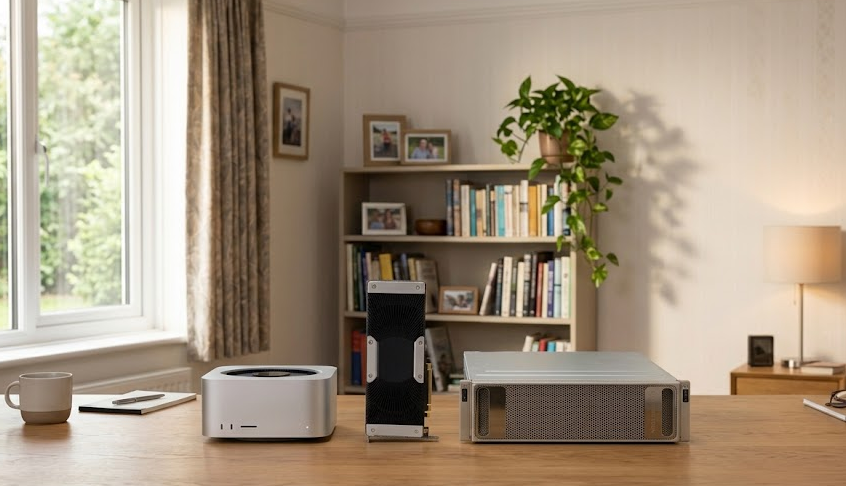
Mac Studio vs Tesla V100 vs DGX Spark vs AMD Strix Halo vs RTX Pro: Which Hardware Can Run the Biggest AI Models?
Running large, high-capability AI models locally is no longer limited to research laboratories and enterprise data centers. Powerful desktop workstations, compact AI systems, and used server accelerators have made it possible to build private AI infrastructure at home or in a small office.
However, choosing the right hardware is more complicated than buying the most powerful GPU.
The real challenge is finding a system with enough memory to load the model, sufficient bandwidth to generate responses efficiently, and the computational resources to process prompts and serve users.
For instance, a workstation with 256GB of unified memory may run a model that cannot fit into a conventional 48GB graphics card. Conversely, a multi-GPU NVIDIA workstation can generate responses considerably faster when the workload is optimized for CUDA.
This guide examines five hardware configurations for running large language models locally, from affordable used GPU servers to professional AI workstations.
We focus on the components that matter most for local inference: memory architecture, GPU performance, bandwidth, scalability, cooling, power consumption, and hardware limitations.
What Hardware Do You Actually Need to Run Large AI Models?
Before selecting a machine, it is important to understand the difference between hardware capacity and hardware performance.
Three specifications have the greatest influence on local AI inference.
1. Memory Capacity: Can the Model Fit?
The first requirement is enough memory to load the model.
AI models contain billions of parameters. These parameters are stored in memory during inference, and their size depends on the model architecture and numerical precision.
A 70-billion-parameter model stored at 16-bit precision requires approximately 140GB for its weights alone.
Quantizing the model to 4-bit can reduce this requirement to roughly 35GB, although practical memory usage is higher.
The following table provides useful hardware planning estimates.
| Model Size | FP16/BF16 Weight Memory | Approximate 4-bit Weight Memory | Suggested Hardware Memory |
|---|---|---|---|
| 8B | 16GB | 4–6GB | 12–16GB |
| 14B | 28GB | 7–10GB | 16–24GB |
| 32B | 64GB | 16–21GB | 24–32GB |
| 70B | 140GB | 35–45GB | 48–64GB |
| 120B | 240GB | 60–75GB | 80–96GB |
| 200B | 400GB | 100–125GB | 128–160GB |
These estimates exclude some runtime overhead and KV-cache requirements.
Long context windows and multi-user workloads can require considerably more memory.
The most important buying consideration: Do not purchase a system based only on the model’s weight size. Leave room for inference overhead and future workloads.
2. Memory Bandwidth: How Quickly Can the Model Generate Tokens?
Memory bandwidth determines how quickly the processor can access the model’s weights and other data.
For single-user text generation, bandwidth can be particularly important because the model must repeatedly access its parameters while generating each token.
Consider these approximate hardware bandwidth figures:
| Hardware | Memory Bandwidth |
|---|---|
| Apple M3 Ultra | 819GB/s |
| Apple M5 Ultra | 1.2TB/s |
| NVIDIA Tesla V100 | 900GB/s for NVLink variant |
| AMD Ryzen AI Max+ 395 | Approximately 256GB/s theoretical |
| NVIDIA DGX Spark | Approximately 273GB/s |
These specifications illustrate an important distinction.
A system with large memory capacity but limited bandwidth may successfully load a model while generating responses relatively slowly.
The Apple M3 Ultra, for example, combines large unified memory with substantial bandwidth, making it particularly interesting for memory-intensive inference workloads.
Apple’s M5 Ultra increases the available bandwidth further.
Sources: Apple M3 Ultra specifications, NVIDIA V100 specifications, AMD Ryzen AI Max+ 395 specifications.
3. GPU Compute: How Quickly Can the Hardware Process the Workload?
GPU compute is particularly important for prompt processing.
When a model receives a large input, it must process the input tokens before generating a response.
This phase benefits from parallel computation.
Modern GPUs with powerful tensor-processing hardware can significantly accelerate prompt ingestion, particularly when the inference framework supports optimized kernels.
For high-throughput applications, GPU compute becomes even more important.
A system serving multiple users can process requests in batches, improving aggregate throughput.
This is one of the reasons modern NVIDIA RTX Pro GPUs can outperform older accelerators even when both configurations offer substantial total memory.
1. Mac Studio with M3 Ultra or M5 Ultra and 256GB Unified Memory
Estimated investment: $7,499–$9,499
The Mac Studio is an attractive choice for users who want to run large AI models without building a traditional GPU server.
Its primary advantage is unified memory.
Instead of relying on several discrete graphics cards, Apple Silicon allows the CPU and GPU to access a shared memory pool.
This architecture makes it possible to load very large models into a compact workstation.
Hardware Architecture
The M3 Ultra Mac Studio offers:
- Up to 80 GPU cores.
- Up to 256GB unified memory in the original configuration.
- Approximately 819GB/s memory bandwidth.
- Integrated CPU and GPU architecture.
- Compact workstation chassis.
- Relatively low noise compared with enterprise GPU servers.
The newer M5 Ultra platform expands memory bandwidth and supports larger unified-memory configurations. Apple’s current specifications list configurations beyond 256GB, making it important to distinguish the specific machine being purchased.
Why Unified Memory Matters
A conventional GPU must accommodate the model within its available VRAM.
If the model exceeds the available VRAM, the system may need to distribute it across multiple GPUs or move portions of it into system RAM.
Both approaches introduce additional complexity.
The Mac Studio avoids the conventional GPU-VRAM boundary by using a shared memory architecture.
This is particularly advantageous when running:
- Large quantized language models.
- Coding models.
- Long-context document analysis.
- Private AI assistants.
- Large multimodal models supported by the runtime.
The ability to load a model is not the same as being able to generate tokens quickly, however.
Memory bandwidth and GPU compute still determine practical performance.
Cooling and Power
The Mac Studio is designed as a desktop workstation rather than a rack-mounted server.
Its cooling system is substantially more suitable for an office or home environment than an eight-GPU enterprise server.
It also avoids the complexity of coordinating multiple discrete GPUs.
This makes it an attractive option for users who want to run AI workloads continuously without dedicating an entire room to hardware.
Hardware Limitations
The biggest limitation is the lack of NVIDIA CUDA.
Apple’s Metal-based acceleration works well for supported workloads, but CUDA remains the dominant ecosystem for many advanced AI frameworks.
The Mac Studio also cannot be upgraded with additional internal GPUs.
Its memory configuration must be selected at purchase.
Hardware Verdict
The Mac Studio is ideal for users who prioritize:
- Large model capacity.
- High memory bandwidth.
- Low operational noise.
- Energy efficiency.
- Minimal hardware maintenance.
It is an excellent single-user AI workstation, but not necessarily the fastest option for high-volume inference.
2. Eight NVIDIA Tesla V100 GPUs: The Budget AI Server
Estimated investment: $3,000–$5,899
Used Tesla V100 servers remain one of the most interesting options for buyers who want substantial GPU memory without spending tens of thousands of dollars.
The V100 was originally designed for deep learning and high-performance computing.
Although it is an older GPU, its HBM2 memory architecture remains attractive for certain inference workloads.
Hardware Architecture
The Tesla V100 comes in 16GB and 32GB configurations.
The NVLink variant provides:
- 32GB HBM2 memory.
- Approximately 900GB/s memory bandwidth.
- Up to 300GB/s bidirectional NVLink bandwidth.
- Up to 300W power consumption.
The PCIe version has different specifications, including lower interconnect bandwidth and different memory-bandwidth figures.
An eight-GPU server can therefore provide:
| Configuration | Aggregate GPU Memory |
|---|---|
| 8 × V100 16GB | 128GB |
| 8 × V100 32GB | 256GB |
This is a substantial amount of accelerator memory for the purchase price.
Server Components Matter
An eight-GPU V100 configuration is not simply a matter of installing eight graphics cards into a desktop motherboard.
The server must provide:
- Adequate PCIe connectivity.
- Sufficient power delivery.
- High-airflow cooling.
- Compatible GPU form factors.
- Appropriate CPU performance.
- Enough system RAM.
- Reliable storage.
The distinction between PCIe and NVLink configurations is especially important.
A server using PCIe V100 cards may have different model-distribution performance than one using NVLink-connected accelerators.
The total GPU memory also does not automatically become one unified memory pool. The inference framework must distribute the model across the available GPUs.
Power and Cooling
The V100’s biggest hardware disadvantage is its power consumption.
Eight GPUs rated at up to 300W each could theoretically account for up to 2,400W of GPU power alone.
The server’s CPUs, memory, fans, and other components add to this figure.
This creates several challenges:
- High electricity costs.
- Significant heat output.
- Loud cooling fans.
- Potential electrical circuit limitations.
- Greater cooling requirements.
For a home environment, these disadvantages can outweigh the low purchase price.
Hardware Longevity
The V100 is an older accelerator architecture.
Its computational capabilities remain useful, but its software compatibility is increasingly important.
The hardware may require specific CUDA and inference-framework versions.
This means that buyers should consider not only whether the GPU can run a model today, but also whether the software stack can be maintained over time.
Hardware Verdict
The Tesla V100 server is best for:
- Enthusiasts building used GPU servers.
- Researchers experimenting with large models.
- Buyers prioritizing GPU memory per dollar.
- Users with dedicated cooling and electrical infrastructure.
It is a compelling hardware experiment, but it is not the ideal low-maintenance AI workstation.
3. Two NVIDIA DGX Spark Systems: Compact CUDA AI Infrastructure
Estimated investment: $10,000–$14,000
DGX Spark is designed to bring NVIDIA’s AI computing ecosystem into a compact desktop environment.
It combines a Grace CPU with a Blackwell-based GPU and large unified memory.
Unlike the Tesla V100, DGX Spark is based on a modern architecture.
Hardware Architecture
Each DGX Spark provides approximately 128GB of unified memory.
The system is designed around AI workloads rather than traditional desktop graphics.
Its hardware characteristics include:
- NVIDIA Blackwell GPU architecture.
- Grace CPU architecture.
- Unified-memory design.
- CUDA support.
- Compact desktop chassis.
- Modern AI acceleration capabilities.
The system is particularly attractive to developers who want access to NVIDIA’s software ecosystem without building a conventional GPU server.
Why Two Systems?
Two DGX Spark systems can be used to increase available compute resources.
However, the systems must be connected through an appropriate network and supported distributed-inference configuration.
Two separate 128GB systems do not automatically become a single 256GB GPU.
For a model distributed across both systems, the inference framework must partition the workload and coordinate communication between the machines.
This introduces additional hardware considerations:
- Network bandwidth.
- Network latency.
- Communication overhead.
- Model partitioning.
- Synchronization.
For certain applications, running separate inference workloads on each system may be more efficient.
Cooling and Form Factor
DGX Spark is considerably more compact than an eight-GPU server.
This makes it easier to deploy in offices, development laboratories, and home environments.
Its hardware design is particularly appealing to AI developers who need a dedicated CUDA-based machine.
Hardware Limitations
The main disadvantage is cost.
Two DGX Spark systems represent a substantial investment compared with used GPU servers or AMD Strix Halo machines.
The compact form factor also means that internal hardware expansion is more limited than with a conventional workstation.
Hardware Verdict
DGX Spark is best for:
- AI developers.
- CUDA-focused researchers.
- Small AI laboratories.
- Developers experimenting with distributed inference.
- Users who want modern NVIDIA AI hardware in a compact form.
4. Two AMD Strix Halo Mini PCs: Affordable Large-Memory AI Hardware
Estimated investment: Approximately $7,000
AMD Strix Halo is an interesting alternative to discrete GPU workstations.
Systems based on the Ryzen AI Max+ 395 combine a powerful CPU with an integrated Radeon GPU and large shared memory.
The Ryzen AI Max+ 395 supports up to 128GB of LPDDR5X memory and uses a 256-bit memory interface.
Hardware Architecture
Strix Halo combines:
- 16 Zen 5 CPU cores.
- 40 Radeon 8060S GPU compute units.
- Up to 128GB LPDDR5X memory.
- A 256-bit memory interface.
- PCIe 4.0 connectivity.
- Configurable CPU power limits.
This is a fundamentally different architecture from a discrete NVIDIA GPU.
The GPU accesses system memory rather than having a dedicated large VRAM pool.
Why It Is Interesting for Local AI
The main attraction is memory capacity.
A single 128GB configuration can accommodate models that would otherwise require multiple discrete GPUs.
This is especially useful for large quantized models.
The system can also function as a conventional desktop PC, making it attractive to users who want one machine for both general computing and local AI.
Memory Bandwidth Limitations
Strix Halo’s memory bandwidth is lower than that of many high-end discrete GPU configurations.
This can limit generation speed for large models.
A system may successfully load a 70B or 120B quantized model but generate responses more slowly than a workstation with powerful discrete GPUs.
The approximately 20 tokens/s estimate should be treated as workload-dependent rather than a guaranteed speed.
Two-System Scaling
Two Strix Halo systems can be useful for running separate AI applications.
However, their memory is not automatically pooled.
Distributing one model across two machines requires a compatible inference framework and suitable networking.
This is an important distinction when evaluating a dual-system configuration.
Hardware Verdict
Strix Halo is best for:
- Budget-conscious enthusiasts.
- Large-model experimentation.
- Home AI laboratories.
- Users who value memory capacity over peak performance.
- Buyers seeking new hardware rather than used enterprise accelerators.
5. Four RTX Pro 5000 / RTX Pro 6000 GPU Rigs: High-Performance AI Workstations
Estimated investment: $36,000+
For users who need high inference throughput, modern NVIDIA RTX Pro GPUs are a more powerful hardware category.
These systems are designed to provide substantial GPU compute, high memory bandwidth, and compatibility with the NVIDIA AI software ecosystem.
Hardware Architecture
A professional multi-GPU configuration can provide:
- Multiple modern NVIDIA GPUs.
- High-performance tensor computation.
- Dedicated GPU memory.
- CUDA support.
- Professional workstation components.
- High-bandwidth networking.
- Enterprise-oriented cooling and power delivery.
The RTX Pro 5000 and RTX Pro 6000 should not be treated as equivalent GPUs.
Memory capacity, bandwidth, performance, and power requirements vary significantly by model and generation.
For a serious buying decision, the exact GPU SKU is essential.
Why Multi-GPU Hardware Matters
The main advantage is aggregate compute performance.
A multi-GPU workstation can be designed to serve multiple simultaneous users.
This is especially valuable for businesses deploying:
- Private AI assistants.
- Internal coding assistants.
- AI inference APIs.
- Enterprise document-processing systems.
- Batch inference pipelines.
High-throughput inference frameworks can use batching to process requests efficiently.
However, multi-GPU systems do not automatically scale linearly.
The actual performance depends on how efficiently the model can be distributed and how much communication is required between GPUs.
Workstation Components
A professional multi-GPU workstation needs more than powerful graphics cards.
Important components include:
CPU: A high-core-count processor can help support data processing, request handling, and multiple inference workloads.
Motherboard: The system needs sufficient PCIe slots and lane allocation.
Power supply: The PSU must support the combined GPU power requirements, including transient loads.
Cooling: High-end GPUs produce substantial heat under sustained workloads.
System RAM: Adequate RAM is necessary for data processing, model loading, and system operations.
Storage: Fast NVMe SSDs are useful for loading large models and maintaining a local model library.
Networking: High-speed Ethernet can be important when deploying multiple inference servers.
Multi-User Performance
The reported 900+ tokens/s throughput should be understood as an aggregate benchmark target under specific conditions.
It is not a guaranteed generation speed for a single user.
A multi-GPU system may deliver excellent total throughput while individual users experience lower token-generation rates.
This distinction is critical when designing an AI inference server.
Hardware Verdict
RTX Pro workstations are best for:
- Businesses.
- AI startups.
- Professional inference deployments.
- High-concurrency workloads.
- Developers who need modern CUDA acceleration.
- Organizations prioritizing performance and reliability.
6. Hardware Buying Comparison
The following table summarizes the main hardware characteristics of the five configurations.
| Hardware | Memory Architecture | Primary Strength | Main Hardware Limitation |
|---|---|---|---|
| Mac Studio Ultra | Unified memory | Capacity and bandwidth | Limited expansion |
| Tesla V100 Server | Discrete HBM2 GPU memory | Low used-hardware cost | Power, cooling, age |
| DGX Spark | Unified memory | Modern CUDA ecosystem | High purchase price |
| AMD Strix Halo | Shared LPDDR5X memory | Affordable large-memory hardware | Lower GPU bandwidth |
| RTX Pro Rigs | Discrete GPU memory | High inference throughput | High hardware cost |
Which Hardware Should You Buy?
For the Largest Models on a Desktop
Mac Studio Ultra.
Its unified memory architecture makes it particularly attractive for large quantized models.
For the Lowest Used-GPU Acquisition Cost
Tesla V100.
It offers substantial accelerator memory for the purchase price, but buyers must account for cooling, power, and software maintenance.
For Modern CUDA Development
DGX Spark.
It offers a compact AI-focused platform with access to NVIDIA’s software ecosystem.
For Affordable New Hardware
AMD Strix Halo.
It provides a compelling balance of memory capacity and acquisition cost.
For Maximum Professional Throughput
RTX Pro GPU workstations.
These systems are designed for demanding inference workloads and multi-user applications.
7. The Hardware Specifications That Matter Most
When evaluating a local AI machine, focus on these specifications rather than marketing claims.
| Specification | Why It Matters |
|---|---|
| GPU memory capacity | Determines whether the model fits |
| Memory bandwidth | Strongly influences generation speed |
| GPU compute performance | Important for prompt processing and parallel workloads |
| Interconnect bandwidth | Affects multi-GPU model distribution |
| PCIe lane availability | Determines GPU expansion capabilities |
| CPU performance | Supports inference orchestration and data processing |
| System RAM | Supports model loading and auxiliary workloads |
| NVMe storage | Improves model loading and storage capacity |
| Power delivery | Ensures stable operation |
| Cooling | Prevents thermal throttling |
| Networking | Enables distributed inference and multi-user deployment |
A well-designed AI workstation balances all these components.
Buying an expensive GPU and pairing it with insufficient power delivery, inadequate cooling, or a motherboard with limited PCIe connectivity can create serious performance bottlenecks.
Final Verdict: The Best Hardware for Running Large AI Models Locally
The ideal local AI machine depends on the workload.
For enthusiasts running large models privately, memory capacity and bandwidth are often the most important specifications.
For professional inference servers, GPU compute, interconnects, and aggregate throughput become increasingly important.
The Mac Studio offers a compelling combination of memory capacity and efficiency.
Tesla V100 servers remain interesting for buyers willing to work with used enterprise hardware.
DGX Spark provides modern NVIDIA AI acceleration in a compact system.
AMD Strix Halo makes large-memory local inference more affordable.
RTX Pro workstations offer the strongest professional performance among the configurations examined.
The key takeaway is simple: Choose hardware based on the model you need to run, the speed you expect, and the number of users you plan to serve—not merely the total amount of memory advertised.