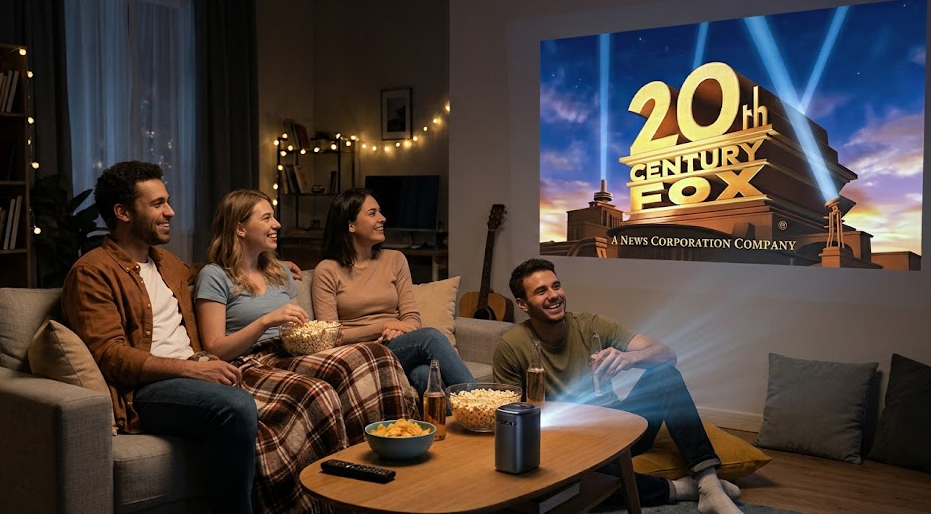
A projector can transform a living room into a home cinema, create an immersive gaming environment, or make outdoor movie nights possible. Unlike a traditional television, a projector can produce an image exceeding 100 inches diagonally without requiring an enormous display panel.
However, projectors are not automatically better than TVs.
They require careful consideration of room lighting, projection distance, screen quality, brightness, image processing, and installation. A projector that performs beautifully in a dedicated home theater may deliver a disappointing experience in a bright living room.
The real question isn’t whether a projector is better than a TV. It’s whether a projector is better for your room, viewing habits, budget, and expectations.
This guide explains how to make that decision, what specifications matter most, which features are worth paying for, and when purchasing a projector is a mistake.
Quick Verdict: Who Should Buy a Projector?
| User Type | Projector Recommendation | SEE2GET Rating |
|---|---|---|
| Home cinema enthusiasts | Excellent choice | 9.5/10 |
| Movie lovers seeking a large screen | Highly recommended | 9.2/10 |
| Console and PC gamers | Recommended with conditions | 8.5/10 |
| Sports enthusiasts | Good for evening viewing | 8.0/10 |
| Families with a dedicated media room | Excellent choice | 9.0/10 |
| Outdoor movie enthusiasts | Highly recommended | 9.0/10 |
| Frequent travelers | Portable projector recommended | 8.0/10 |
| People watching TV throughout the day | Usually not recommended | 5.5/10 |
| Small apartments with limited space | Depends on room geometry | 6.5/10 |
| Buyers seeking maximum HDR quality | Usually choose a TV | 5.5/10 |
| People who want a simple plug-and-play display | Usually choose a TV | 5.0/10 |
Ratings represent SEE2GET’s editorial assessment of suitability for each use case, not laboratory measurements of individual products.
The short answer
Buy a projector if:
- You want a screen measuring 100–150 inches or larger.
- You primarily watch movies and entertainment in the evening.
- You can control the room’s ambient light.
- You have sufficient space for installation.
- You value cinematic immersion more than everyday convenience.
Choose a television if:
- You watch content throughout the day.
- Your room receives substantial sunlight.
- You want strong HDR performance.
- You need excellent gaming performance without complicated setup.
- You prefer predictable picture quality and minimal maintenance.
1. Projector vs. TV: Which Is Better?
The biggest difference between a projector and a television is how they produce an image.
A TV generates light directly from its display panel. A projector sends light onto a screen or wall, where the image becomes visible.
This distinction affects brightness, contrast, installation, image size, and performance in different environments.
Projector vs. TV Comparison Table
| Feature | Projector | Television | Winner |
|---|---|---|---|
| Maximum practical screen size | 100–200+ inches | Usually 55–100 inches | Projector |
| Bright-room performance | Limited | Excellent | TV |
| Dark-room movie experience | Excellent | Excellent | Projector for scale |
| HDR brightness | Usually limited | Generally superior | TV |
| Screen size per dollar | Often attractive at large sizes | More expensive at very large sizes | Projector |
| Installation simplicity | Moderate to difficult | Easy | TV |
| Portability | Available in portable models | Limited | Projector |
| Gaming input lag | Varies by model | Often lower | TV |
| 4K image quality | Highly model-dependent | Generally consistent | TV |
| Screen flexibility | Adjustable image size | Fixed display size | Projector |
| Sound quality | Usually requires external audio | Built-in speakers are generally better | TV |
| Daytime viewing | Requires high brightness and light control | Excellent | TV |
| Maintenance | Lamp replacement or eventual light-source degradation | Minimal | TV |
| Cinematic immersion | Exceptional at large sizes | Good to excellent | Projector |
Why projectors can outperform TVs for movies
A 120-inch image creates a substantially more immersive viewing experience than a conventional 65-inch television.
The larger image occupies more of the viewer’s field of vision, making movies feel closer to a theater experience.
Projectors also offer flexibility. You can adjust the screen size to match the room, seating distance, and content.
Why TVs remain the better everyday display
Modern televisions, particularly OLED and Mini-LED models, offer impressive brightness, contrast, HDR performance, and gaming features.
A TV doesn’t need a dark room to deliver a strong image.
For everyday streaming, news, sports, and gaming, televisions generally offer a more convenient experience.
SEE2GET verdict: A projector is primarily an investment in screen size and immersion. A television is an investment in convenience, brightness, and consistent image quality.
2. Understanding Projector Types
Before comparing specifications, buyers should understand the different projector technologies and configurations.
Not every projector is designed for the same environment.
2.1 Home Theater Projectors
Home theater projectors are designed primarily for movies and entertainment.
Typical characteristics:
- Full HD or 4K resolution.
- Improved contrast and color reproduction.
- Lens zoom and installation flexibility.
- HDMI connectivity.
- Compatibility with dedicated projection screens.
Best for: Movie enthusiasts, dedicated media rooms, and cinematic viewing.
Typical budget: $800–$5,000.
2.2 Portable Projectors
Portable projectors prioritize compact dimensions, convenience, and mobility.
Some models include:
- Built-in batteries.
- Integrated speakers.
- Wireless connectivity.
- Smart TV operating systems.
- Automatic image correction.
However, portability often comes at the expense of brightness.
Best for: Travelers, students, casual entertainment, and outdoor activities.
Typical budget: $200–$1,500.
2.3 Ultra-Short-Throw (UST) Projectors
Ultra-short-throw projectors can create large images from a very short distance.
They are typically positioned close to the projection surface, often on a media console.
Advantages:
- No ceiling mounting required.
- Reduced obstruction from people walking across the room.
- Convenient living-room installation.
- Large image sizes.
Disadvantages:
- Often expensive.
- Sensitive to screen surface imperfections.
- Require careful positioning.
- Usually benefit from a specialized screen.
Best for: Living rooms, apartments, and buyers wanting a large-screen experience without ceiling installation.
Typical budget: $1,500–$5,000+.
2.4 Gaming Projectors
Gaming projectors are designed to reduce input lag and support gaming-specific features.
Important characteristics include:
- Low input lag.
- High refresh rates.
- HDMI 2.1 features where available.
- 1080p high-refresh-rate modes.
- 4K resolution.
- Gaming picture presets.
Best for: Console gaming, PC gaming, and large-screen multiplayer entertainment.
Typical budget: $700–$3,000.
2.5 Business and Presentation Projectors
These projectors prioritize brightness, reliability, and readability.
They are suitable for:
- Offices.
- Conference rooms.
- Classrooms.
- Business presentations.
They may not offer the contrast or color performance expected from a home cinema projector.
Best for: Presentations and professional environments.
Typical budget: $500–$3,000.
Projector Type Comparison
| Projector Type | Primary Purpose | Typical Screen Size | Main Advantage | Main Disadvantage |
|---|---|---|---|---|
| Home theater | Movies | 100–150 inches | Cinematic image quality | Requires light control |
| Portable | Mobile entertainment | 40–100 inches | Convenience | Limited brightness |
| UST | Living-room cinema | 80–150 inches | Easy placement | High cost |
| Gaming | Gaming | 80–150 inches | Low latency | Performance varies |
| Business | Presentations | 80–150 inches | Brightness | Less optimized for movies |
3. Projector Brightness: The Most Important Specification
Brightness is one of the most important factors when selecting a projector.
It determines how well the image remains visible under different lighting conditions.
Projector brightness is measured in lumens.
However, buyers should be careful: manufacturers sometimes advertise brightness using measurement standards that are not directly comparable.
Look for ANSI lumens or ISO lumens when possible.
Avoid making purchasing decisions based solely on exaggerated marketing claims.
How Many Lumens Do You Need?
| Room Environment | Recommended Brightness | Suggested Screen Size |
|---|---|---|
| Completely dark home theater | 1,000–1,500 ANSI lumens | 80–120 inches |
| Dark room with minimal ambient light | 1,500–2,000 ANSI lumens | 100–120 inches |
| Living room with controlled lighting | 2,000–3,000 ANSI lumens | 80–110 inches |
| Living room with moderate ambient light | 3,000–4,000 ANSI lumens | 80–100 inches |
| Bright room | 4,000+ ANSI lumens | 60–100 inches |
| Outdoor night viewing | 2,000–3,500 ANSI lumens | 80–120 inches |
These are practical starting ranges, not guarantees. Actual results depend on screen size, screen gain, image mode, and ambient lighting.
Why bigger screens require more brightness
A projector spreads its light across the entire projection surface.
As the image becomes larger, the same light output is distributed across a greater area.
Consequently, a projector that looks impressive at 80 inches may appear considerably dimmer at 120 inches.
Buying tip: If you are planning a 120-inch screen, prioritize brightness before spending extra money on minor smart features.
4. Resolution: Is 1080p Enough or Should You Buy 4K?
Resolution determines the amount of detail in the projected image.
The two most common choices for home entertainment are Full HD and 4K UHD.
| Resolution | Pixel Count | Best Use | SEE2GET Recommendation |
|---|---|---|---|
| 720p | 1280 × 720 | Basic portable entertainment | Avoid for premium home cinema |
| 1080p | 1920 × 1080 | Budget home theater and gaming | Good value |
| 4K UHD | 3840 × 2160 | Large screens and detailed movies | Recommended for premium setups |
| Native 4K | 3840 × 2160 imaging resolution | High-end home cinema | Premium choice |
Is 4K worth the extra money?
For a screen measuring 80 inches or less, the difference between good 1080p and 4K projection may be less noticeable depending on seating distance.
At 100–150 inches, 4K becomes more attractive.
Buyers should also distinguish between native 4K and pixel-shifted 4K.
Many projectors advertised as 4K use pixel-shifting technology rather than a native 3840 × 2160 imaging chip.
Pixel-shifting can deliver excellent perceived detail at a lower cost, but it is not identical to native 4K projection.
Resolution buying recommendation
- Under $500: Prioritize a reputable 1080p projector.
- $500–$1,000: Consider high-quality 1080p or entry-level 4K.
- $1,000–$2,000: 4K becomes a strong recommendation.
- Above $2,000: Compare contrast, HDR processing, optics, and resolution together.
5. Throw Distance: Will the Projector Fit Your Room?
Throw distance determines how far the projector must be positioned from the screen to produce a particular image size.
This is a crucial consideration before purchasing.
A projector may have excellent specifications but still be unsuitable for your room.
Understanding Throw Ratio
Throw ratio is calculated as:
Throw Ratio = Projector Distance ÷ Image Width
For example:
A projector with a throw ratio of 1.5:1 requires approximately 1.5 feet of distance for every foot of image width.
For a 100-inch diagonal 16:9 screen:
- Image width: Approximately 87 inches.
- Throw ratio: 1.5:1.
- Required distance: Approximately 130 inches, or 10.8 feet.
Actual placement depends on the projector’s optical zoom range.
| Throw Type | Approximate Throw Ratio | Best Use |
|---|---|---|
| Ultra-short-throw | Below 0.4:1 | Living rooms |
| Short-throw | 0.4:1–1.0:1 | Small rooms |
| Standard-throw | 1.0:1–2.0:1 | Home theater |
| Long-throw | Above 2.0:1 | Large rooms and auditoriums |
These categories are approximate. Manufacturer specifications should always be checked.
Lens shift vs. keystone correction
These features are often confused.
Lens shift physically moves the projected image using the optical system.
Benefits:
- Maintains image quality.
- Makes installation easier.
- Reduces the need to reposition the projector.
Keystone correction digitally adjusts the image shape.
It can correct a trapezoidal image, but excessive correction may reduce effective resolution or image quality.
SEE2GET recommendation: Prioritize optical zoom and lens shift over relying heavily on digital keystone correction.
6. Contrast Ratio, HDR, and Color Accuracy
Brightness alone does not determine picture quality.
Contrast ratio describes the difference between the brightest white and darkest black the projector can produce.
A projector with strong contrast can deliver more depth and detail in dark scenes.
However, manufacturers often advertise dynamic contrast ratios that may not reflect real-world performance.
Buyers should look for independent testing whenever possible.
HDR Performance
HDR stands for High Dynamic Range.
HDR-compatible projectors may support:
- HDR10.
- HLG.
- Dolby Vision, on selected models.
But HDR support does not automatically mean impressive HDR performance.
Many projectors cannot reproduce the peak brightness of premium televisions.
They rely on tone mapping to adapt HDR content to their available brightness.
| Feature | Importance | Recommendation |
|---|---|---|
| Native contrast | Very high | Prioritize |
| HDR10 compatibility | High | Recommended |
| Dolby Vision | Medium to high | Valuable on compatible models |
| Color accuracy | Very high | Important for movies |
| Dynamic contrast | Medium | Verify with independent testing |
| Wide color gamut | High | Recommended for premium cinema |
7. Laser vs. LED vs. Lamp Projectors
The light source affects brightness, longevity, maintenance, and operating costs.
Light Source Comparison
| Feature | Lamp Projector | LED Projector | Laser Projector |
|---|---|---|---|
| Initial price | Usually lower | Moderate | Usually higher |
| Brightness potential | High | Low to moderate | High |
| Typical rated light-source life | 2,000–10,000 hours | 20,000+ hours | 20,000+ hours |
| Lamp replacement | Required periodically | Not typically required | Not typically required |
| Maintenance | Moderate | Low | Low |
| Color performance | Model-dependent | Often strong | Often strong |
| Best use | Budget home theater | Portable entertainment | Premium home cinema |
Rated light-source life varies by model and operating mode. It does not mean that the projector maintains its original brightness for the entire rated period.
Which technology should you choose?
Choose a lamp projector if:
- You have a limited budget.
- You want high brightness at a lower initial cost.
- You don’t mind occasional lamp replacement.
Choose an LED projector if:
- Portability matters.
- You want lower maintenance.
- Your room does not require extreme brightness.
Choose a laser projector if:
- You want premium home cinema.
- You expect frequent usage.
- You value high brightness and reduced maintenance.
For most premium home theater installations, laser projection is an attractive long-term choice.
8. Smart Projectors: Are Built-In Apps Worth It?
Many modern projectors include smart operating systems.
These can provide access to streaming platforms, wireless connectivity, and voice control.
However, built-in smart functionality should not be the primary purchasing criterion.
| Feature | Importance | Recommendation |
|---|---|---|
| Google TV or equivalent | High | Useful |
| Wi-Fi | High | Recommended |
| Bluetooth | Medium | Useful for audio |
| AirPlay or casting | Medium | Convenient |
| HDMI | Very high | Essential |
| USB | Medium | Useful |
| Built-in speakers | Medium | Convenient, but external audio is preferable |
| Automatic focus | Medium | Helpful |
| Automatic keystone | Medium | Helpful for casual use |
Should you buy a projector without smart features?
Yes.
A projector with excellent image quality and HDMI connectivity can be paired with a streaming device.
This may be preferable to paying extra for a projector with a weak smart interface.
9. Projectors for Gaming: What Matters Most?
Gaming introduces additional requirements.
A projector that performs well for movies may not be suitable for competitive gaming.
Gaming Specifications
| Feature | Minimum Recommendation | Ideal Recommendation |
|---|---|---|
| Resolution | 1080p | 4K |
| Input lag | Below 40 ms | Below 20 ms |
| Refresh rate | 60 Hz | 120 Hz or higher where supported |
| HDMI | HDMI 2.0 | HDMI 2.1 features where available |
| HDR | HDR10 | Strong HDR processing |
| Screen size | 80–100 inches | 100–120 inches |
| Gaming mode | Recommended | Essential for serious gaming |
Casual gaming
For casual gaming, a 1080p projector with low input lag can be an excellent choice.
Competitive gaming
Competitive players should generally prioritize a high-refresh-rate monitor or gaming television.
Projectors can introduce additional latency, and high-refresh-rate support varies significantly.
Console gaming
For PlayStation 5 and Xbox Series X users, verify:
- 4K input support.
- 120 Hz support at the intended resolution.
- HDMI bandwidth.
- Input lag.
- Variable refresh rate compatibility.
Do not assume that a projector advertised as 4K supports 4K at 120 Hz.
10. Projector Screen: Do You Actually Need One?
A projector can display an image on a wall.
However, a dedicated screen can improve image quality.
The screen influences brightness, color, contrast, and uniformity.
Screen Types
| Screen Type | Best Use | Main Advantage | Main Disadvantage |
|---|---|---|---|
| White matte screen | Dark home theater | Neutral image | Limited ambient-light rejection |
| Gray screen | Rooms with some ambient light | Can improve perceived black levels | May reduce brightness |
| ALR screen | Living rooms | Rejects selected ambient light | Higher cost |
| UST ALR screen | Ultra-short-throw projectors | Designed for UST geometry | Expensive |
| Fixed-frame screen | Dedicated theater | Excellent consistency | Permanent installation |
| Motorized screen | Multipurpose room | Hidden when not in use | Higher cost |
Can you use a white wall?
Yes, but a wall is not always an ideal projection surface.
Paint texture, imperfections, color, and reflectivity can affect the image.
A dedicated screen is recommended for buyers investing in a premium projector.
11. Projector Price Guide: How Much Should You Spend?
Projector prices vary considerably depending on resolution, brightness, light source, image processing, and installation flexibility.
The following budget tiers provide a practical starting point.
Projector Budget Comparison
| Budget | What to Expect | Best For | SEE2GET Value Rating |
|---|---|---|---|
| Under $300 | Entry-level portable or basic 1080p | Casual use | 5.5/10 |
| $300–$500 | Better 1080p portable models | Bedrooms and occasional viewing | 7.0/10 |
| $500–$1,000 | Quality 1080p and selected entry-level 4K | Budget home theater | 8.0/10 |
| $1,000–$2,000 | More capable 4K home entertainment projectors | Enthusiasts | 8.5/10 |
| $2,000–$3,500 | Premium laser and UST systems | Living-room cinema | 8.5/10 |
| $3,500–$5,000 | High-performance home theater | Dedicated cinema rooms | 9.0/10 |
| Above $5,000 | Premium and reference-level projection | Enthusiasts with demanding requirements | 8.5/10 |
Ratings reflect potential value within the budget tier, not the performance of every product in that price range.
The sweet spot
For many buyers, the $1,000–$2,000 range provides an attractive balance between image quality, resolution, brightness, and features.
However, the best value depends on the room.
A $700 projector in a dark room may deliver a better experience than a $2,500 projector in a bright room with unsuitable installation.
12. Additional Costs: The Projector Is Only Part of the System
One of the most common mistakes is evaluating projector prices without considering the complete installation.
A home theater system may require:
- Projection screen.
- Ceiling mount or media console.
- HDMI cables.
- External speakers.
- AV receiver.
- Cable management.
- Light-blocking curtains.
- Installation labor.
Example Home Theater Budget
| Component | Estimated Cost |
|---|---|
| 4K projector | $1,500 |
| 100–120-inch screen | $300 |
| Ceiling mount | $100 |
| HDMI cables | $50 |
| Soundbar or basic external audio | $300 |
| Installation accessories | $100 |
| Total Estimated Budget | $2,350 |
This is an illustrative USD budget, not a current retailer quote.
A premium UST installation may cost considerably more, particularly when paired with a specialized screen.
13. Projector vs. TV: Total Cost of Ownership
The initial price does not always tell the complete story.
Projectors may require additional equipment and installation.
Televisions usually offer a more complete display solution out of the box.
| Expense | Projector | TV |
|---|---|---|
| Display purchase | Varies | Varies |
| Screen | Often additional | Included |
| Installation | May require mounting | Usually straightforward |
| Audio | External audio often recommended | Built-in speakers |
| Light control | May require curtains | Not necessary |
| Maintenance | Depends on light source | Usually minimal |
| Replacement components | Lamp replacement on lamp models | Usually no routine replacement |
| Long-term operating cost | Model-dependent | Model-dependent |
Which is cheaper?
For everyday viewing, a TV is usually the more cost-effective choice.
For a very large image, a projector can become attractive.
The total cost depends on the desired screen size and the quality of the complete setup.
14. Common Projector Buying Mistakes
Mistake 1: Buying Based on Advertised Lumens
Some inexpensive projectors advertise extremely high brightness figures that are not measured using comparable standards.
Solution: Look for ANSI or ISO lumens and independent testing.
Mistake 2: Ignoring Room Lighting
A projector designed for dark-room viewing may struggle in a bright living room.
Solution: Evaluate ambient lighting before choosing a model.
Mistake 3: Assuming All 4K Projectors Are Equal
Native 4K and pixel-shifted 4K are different technologies.
Solution: Check the imaging system and independent image-quality testing.
Mistake 4: Forgetting Throw Distance
A projector may not fit the available room geometry.
Solution: Calculate the distance before purchasing.
Mistake 5: Buying a Cheap Portable Projector as a TV Replacement
Low brightness, weak speakers, and limited contrast may lead to disappointment.
Solution: Evaluate portable projectors as convenience products rather than automatic TV replacements.
Mistake 6: Ignoring Audio
Built-in projector speakers are often inadequate for a cinematic experience.
Solution: Include external audio in your budget.
Mistake 7: Overpaying for Features You Don’t Need
A premium laser projector may be unnecessary for occasional bedroom viewing.
Solution: Match the projector to your primary use case.
15. SEE2GET Projector Selection Checklist
Before purchasing a projector, review the following criteria.
| Question | Importance |
|---|---|
| Can I control the room’s lighting? | Critical |
| What screen size do I actually need? | Critical |
| Does the projector fit my room’s throw distance? | Critical |
| Is the brightness appropriate? | Critical |
| Is 1080p sufficient, or do I need 4K? | High |
| Does the projector support my gaming requirements? | High |
| Is the light source suitable for my usage frequency? | High |
| Do I need a dedicated screen? | High |
| Will I need external speakers? | High |
| Does the projector have HDMI connectivity? | Critical |
| Is the total system cost within my budget? | Critical |
| Are independent reviews available? | High |
16. Final Recommendations: Which Projector Should You Buy?
The ideal projector depends on your primary use case.
| Buyer Profile | Recommended Projector Category | Suggested Budget | SEE2GET Rating |
|---|---|---|---|
| First-time projector buyer | 1080p home entertainment | $500–$800 | 8.0/10 |
| Movie enthusiast | 4K home theater | $1,000–$2,000 | 9.0/10 |
| Premium home cinema owner | Laser home theater | $2,000–$5,000 | 9.5/10 |
| Apartment resident | UST projector | $1,500–$3,000 | 8.5/10 |
| Casual gamer | Low-latency 1080p or 4K projector | $700–$1,500 | 8.0/10 |
| Competitive gamer | Gaming TV or monitor | Varies | 9.5/10 |
| Outdoor movie enthusiast | Portable or high-brightness projector | $500–$1,500 | 9.0/10 |
| Frequent traveler | Portable LED projector | $200–$800 | 8.0/10 |
| Everyday family viewing | Large television | Varies | 9.0/10 |
Our Final Verdict
A projector is one of the most compelling display technologies for people who want a cinematic experience at home.
It can deliver an enormous image, create a dedicated entertainment environment, and offer flexibility that traditional televisions cannot match.
However, it is not the universal solution for every household.
For everyday viewing in a bright living room, a television remains the practical winner.
For movies, large-screen gaming, and dedicated entertainment rooms, a projector can provide a more immersive experience.
The smartest buying decision is to start with your room, determine the screen size you want, and then select a projector that meets your brightness, resolution, installation, and budget requirements.
SEE2GET’s recommendation: If your primary goal is watching movies on a 100-inch or larger screen in a room where you can control the lighting, a quality projector is worth serious consideration. If you need an all-purpose display for daytime viewing, news, sports, and gaming, a television is generally the better investment.
Frequently Asked Questions
Is a projector better than a TV?
A projector is better for cinematic screen size and immersion. A TV is generally better for brightness, HDR, convenience, and everyday viewing.
Can a projector replace a TV?
Yes. A projector can replace a television if the room has suitable lighting, installation space, and an appropriate screen.
Is a 4K projector worth buying?
For large screens and premium home theater setups, 4K projection is worth considering. For smaller screens and limited budgets, a good 1080p projector may provide better value.
How long does a projector last?
It depends on the light source and usage. Many LED and laser projectors are rated for 20,000 hours or more, while lamp projectors typically require periodic lamp replacement.
Do projectors work during the day?
Yes, but performance depends on brightness, screen size, and ambient lighting. TVs generally perform better in bright environments.
Do I need a projector screen?
Not necessarily. A suitable wall can work for casual viewing. A dedicated screen usually provides more consistent image quality.
Are projectors good for gaming?
Yes, particularly for casual gaming and immersive large-screen experiences. Competitive gamers should prioritize input lag and refresh rate.
What is the best projector budget?
For many home theater buyers, $1,000–$2,000 is a practical target. Entry-level buyers can find suitable options for less, while premium installations can cost substantially more.
Is a laser projector better than an LED projector?
Laser projectors generally offer higher brightness and are suitable for premium home theater applications. LED projectors can be attractive for portable entertainment and lower-maintenance casual use.
What screen size is best for a home projector?
A 100–120-inch screen is a popular starting point for home theater. The ideal size depends on viewing distance, brightness, and room dimensions.