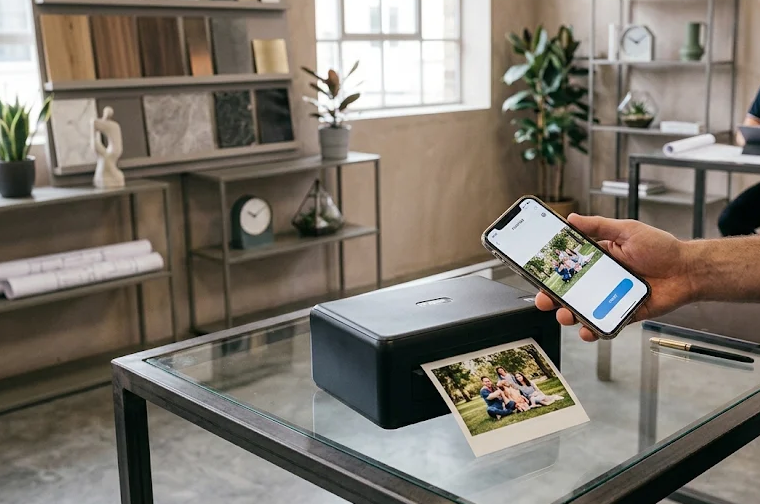
Mobile printers make it possible to print documents, photographs, labels, and other materials without relying on a traditional desktop printer. Compact, lightweight, and increasingly versatile, these devices are designed for people who need printing capabilities while travelling, working remotely, studying, or managing everyday tasks away from home.
However, not all mobile printers work the same way. Some are designed for printing high-quality photographs, others specialise in documents, and some use thermal technology to print labels and notes without conventional ink cartridges.
Choosing the right model requires understanding the printing technology, connectivity options, print quality, running costs, battery performance, and intended use.
This guide explains what mobile printers are, who benefits from owning one, which features matter most, and how to compare different types before buying.
1. What Is a Mobile Printer?
A mobile printer is a compact printing device designed to work with smartphones, tablets, laptops, and other portable electronics. Unlike conventional desktop printers, mobile printers prioritise portability, wireless connectivity, and convenient operation outside a fixed workspace.
Most models connect to mobile devices through Bluetooth, Wi-Fi, Wi-Fi Direct, or USB. Depending on the technology, they can print photographs, business documents, receipts, labels, notes, and other materials.
Many portable printers include rechargeable batteries, allowing users to print without connecting the device to a power outlet. Others require an external power source but remain compact enough for occasional travel.
How does a mobile printer work?
The basic printing process is straightforward:
- Connect your device: Pair your smartphone or tablet with the printer using its supported wireless connection.
- Select your content: Choose a photograph, PDF, document, label, or other supported file.
- Configure printing: Adjust paper size, orientation, colour, quality, and other available settings.
- Send the print job: Use the manufacturer’s mobile application or a compatible operating system printing feature.
- Collect your printout: The printer processes the file and produces the physical output.
The exact workflow depends on the printer. Some models require a dedicated application, while others support standard mobile printing technologies.
Mobile printer vs. traditional printer
| Feature | Mobile Printer | Traditional Printer |
|---|---|---|
| Portability | Compact and travel-friendly | Usually designed for stationary use |
| Connectivity | Bluetooth, Wi-Fi, USB | Primarily Wi-Fi, Ethernet, USB |
| Power | Often rechargeable battery | Usually mains-powered |
| Printing formats | Documents, photos, labels, depending on model | Broad range of formats |
| Paper capacity | Generally limited | Usually larger |
| Printing speed | Often slower | Generally faster |
| Purchase cost | Varies considerably | Wide range of prices |
| Best application | Printing away from a desk | Regular home or office printing |
2. Who Needs a Mobile Printer?
Mobile printers are useful for people who regularly need physical copies of digital information but cannot always access a conventional printer.
However, they are not equally valuable for everyone. The following user groups are particularly likely to benefit.
Students
Students can use portable printers to produce study materials, revision notes, diagrams, photographs, and assignment documents.
Potential advantages include:
- Printing study materials directly from a smartphone.
- Creating physical copies of digital notes.
- Printing small photographs for projects.
- Preparing documents while travelling between locations.
A compact photo printer can also be useful for creative projects, although students who regularly print essays should choose a full-page document printer instead.
Remote Workers and Business Professionals
People who work outside conventional offices may need to print contracts, invoices, schedules, presentations, or other business documents.
A portable inkjet printer is generally more suitable than a pocket photo printer for this purpose.
The most useful features include:
- Support for standard paper sizes.
- Reliable wireless connectivity.
- Rechargeable battery operation.
- Compatibility with common document formats.
- Adequate print resolution for small text.
Travellers
Travellers may appreciate having a compact printer when they need physical documents away from home.
Depending on the model, useful applications include printing itineraries, travel paperwork, confirmations, and personal photographs.
However, a mobile printer is not essential for every traveller. Many hotels, business centres, and other facilities offer printing services.
Photographers and Creative Users
Pocket photo printers allow users to turn smartphone photographs into physical keepsakes.
They are especially useful for:
- Personal photo collections.
- Scrapbooking.
- Creative journals.
- Travel memories.
- Small photography projects.
- Decorative photo displays.
Photo-focused devices generally offer better results for this purpose than ordinary document printers.
Small Business Owners
Mobile printing can be particularly practical for small businesses that operate outside traditional office environments.
Depending on the equipment, applications include:
- Printing receipts.
- Producing product labels.
- Printing invoices.
- Preparing customer paperwork.
- Organising inventory.
- Producing shipping labels.
A thermal printer may be appropriate for receipts and labels, while a portable inkjet is more versatile for conventional documents.
Who probably doesn’t need one?
A mobile printer may not be a worthwhile purchase if:
- You rarely print physical documents.
- You have reliable access to a home or office printer.
- You regularly print large batches of documents.
- You need professional-quality photographs in larger formats.
- Your main requirement is inexpensive, high-volume printing.
In these situations, a conventional printer or local printing service may offer better overall value.
3. Types of Mobile Printers Explained
Understanding printing technology is one of the most important steps when choosing a mobile printer.
Different technologies have different strengths, limitations, consumable requirements, and operating costs.
There are four main categories worth considering.
3.1 Portable Inkjet Printers
Portable inkjet printers work similarly to conventional inkjet printers. They use liquid ink cartridges to produce text, graphics, and colour photographs.
They are generally the most versatile option for people who need to print ordinary documents while travelling.
Advantages:
- Supports colour and black-and-white printing.
- Works with standard paper.
- Suitable for documents, forms, and occasional photographs.
- Offers relatively broad printing flexibility.
Disadvantages:
- Requires replacement ink cartridges.
- Can have relatively high running costs.
- Usually larger than pocket photo printers.
- Some models require an additional battery purchase.
Best for: Students, mobile professionals, business travellers, and people who need full-page documents.
3.2 ZINK Photo Printers
ZINK stands for Zero Ink. This technology uses specially coated paper containing colour-forming layers.
Instead of conventional ink cartridges, the printer applies controlled heat to activate the colour-forming components in the paper.
This makes ZINK printers particularly compact and convenient.
Advantages:
- No conventional ink cartridges.
- Small and lightweight.
- Simple smartphone connectivity.
- Some paper formats feature adhesive backs.
Disadvantages:
- Requires proprietary ZINK paper.
- Limited print sizes.
- Generally less suitable for professional photography.
- Media costs can become significant with frequent printing.
Best for: Casual smartphone photography, scrapbooking, and creative projects.
3.3 Dye-Sublimation Photo Printers
Dye-sublimation printers use heat to transfer colour from a specialised ribbon onto photographic paper.
Many models apply a protective finishing layer during the printing process, helping produce durable photographs.
Advantages:
- Consistent colour reproduction.
- Smooth photographic gradients.
- Good detail for small photographs.
- Often produces water-resistant prints.
Disadvantages:
- Requires specialised paper and ribbon supplies.
- Usually more expensive per print than ordinary document printing.
- Limited to supported photo formats.
- Not designed for regular office documents.
Best for: Photography enthusiasts, families, travellers, and people who want higher-quality physical photographs.
3.4 Thermal Printers
Thermal printers use heat to produce images on specially treated paper.
Most compact thermal printers produce monochrome output and do not require conventional ink cartridges.
Some are designed for small receipts and labels, while specialised portable models can print full-page documents.
Advantages:
- No conventional ink cartridges.
- Relatively simple maintenance.
- Fast printing for many short jobs.
- Useful for receipts, labels, and basic documents.
Disadvantages:
- Most models produce black-and-white output.
- Require compatible thermal paper.
- Printed material can fade with exposure to heat, light, or time.
- Not ideal for long-term document archiving.
Best for: Retailers, small businesses, inventory management, receipts, and label printing.
Comparison of Mobile Printing Technologies
| Technology | Colour Printing | Ink Required | Special Paper | Main Application |
|---|---|---|---|---|
| Inkjet | Yes | Yes | No, standard paper supported | Documents and photographs |
| ZINK | Yes | No | Yes | Small photographs |
| Dye-sublimation | Yes | No conventional ink | Yes, ribbon and photo paper | Higher-quality photographs |
| Thermal | Usually no | No | Yes | Receipts, labels, basic documents |
SEE2GET recommendation: If you need one printer for everyday documents, start with portable inkjet models. If you primarily print smartphone photographs, compare ZINK and dye-sublimation devices. For receipts and labels, investigate thermal printing.
4. Best Mobile Printers to Consider in 2026
The mobile printer market includes devices designed for very different purposes. Some prioritise full-page document printing, while others focus on producing compact photographs directly from smartphones.
For a useful comparison, we have selected six established models covering document printing, portable photography, and creative applications.
Mobile Printer Comparison Table
The following prices are US-market reference prices observed during research in November 2026. They are not guaranteed future selling prices.
The ratings are SEE2GET editorial assessment scores, not manufacturer ratings or aggregated customer-review scores. They reflect suitability for the intended category, functionality, portability, and overall value.
| Printer | Technology | Best For | Reference Price (USD) | SEE2GET Rating |
|---|---|---|---|---|
| HP OfficeJet 250 | Inkjet | Mobile office and documents | $419.99 | 9.2/10 |
| Canon PIXMA TR160 | Inkjet | Full-page documents | $199.99 | 9.0/10 |
| Epson WorkForce WF-110 | Inkjet | Travelling professionals | $349.99 | 8.6/10 |
| Canon SELPHY QX20 | Dye-sublimation | Smartphone photography | $189.99 | 9.0/10 |
| Canon IVY 2 | ZINK | Pocket photographs | $99.99 | 8.7/10 |
| Fujifilm instax mini Link 3 | Instant film | Creative photography | $116.99 | 8.8/10 |
Prices are indicative US retailer or manufacturer-store listings, not guaranteed prices. The Canon PIXMA TR160 price reflects a promotional listing. The HP OfficeJet 250 price is a retailer reference. Confirm the final configuration and included battery before purchase.
4.1 HP OfficeJet 250 – Best for Mobile Office Printing
The HP OfficeJet 250 is designed for people who need more than a simple pocket printer.
It combines printing, scanning, and copying in a portable inkjet device, making it particularly useful for business professionals and people who regularly work away from an office.
Main strengths:
- Prints conventional documents.
- Supports scanning and copying.
- Offers wireless connectivity.
- Supports rechargeable battery operation.
- Includes an automatic document feeder.
Potential limitations:
- Relatively expensive compared with pocket printers.
- Larger and heavier than photo-focused models.
- Ink replacement adds to ownership costs.
SEE2GET verdict: A strong choice for users who need a portable office rather than simply a small smartphone accessory.
4.2 Canon PIXMA TR160 – Best for Full-Page Printing
The Canon PIXMA TR160 is a compact inkjet printer designed for conventional document printing.
It supports standard letter-size paper and offers wireless printing, making it a practical option for people who need to produce documents from mobile devices.
Its manufacturer specifications include a maximum print resolution of 4800 × 1200 dpi and support for Canon’s mobile printing ecosystem.
Main strengths:
- Prints colour and monochrome documents.
- Supports standard paper.
- Offers Wi-Fi connectivity.
- Compatible with mobile printing applications.
- Relatively compact design.
Potential limitations:
- Does not include a scanner or copier.
- Uses replaceable ink cartridges.
- Its rechargeable battery is optional.
SEE2GET verdict: An attractive option for users who prioritise conventional document printing over additional multifunction features.
4.3 Epson WorkForce WF-110 – Best for Travelling Professionals
The Epson WorkForce WF-110 is another portable inkjet option designed around mobile document printing.
Its rechargeable battery and wireless capabilities make it suitable for users who need a compact printing solution outside their home or office.
Main strengths:
- Portable design.
- Built-in rechargeable battery.
- Wireless printing.
- Colour and monochrome output.
- Suitable for conventional documents.
Potential limitations:
- Higher purchase price than some alternatives.
- Ink cartridges require replacement.
- Limited paper capacity.
SEE2GET verdict: Worth considering when battery-powered full-page printing is more important than achieving the smallest possible size.
4.4 Canon SELPHY QX20 – Best for Smartphone Photography
The Canon SELPHY QX20 is a compact photo printer designed for creating physical photographs from mobile devices.
Its dye-sublimation technology produces colour photographs with a protective finishing layer.
Unlike conventional mobile inkjet printers, it is not intended for printing office documents.
Main strengths:
- Dedicated smartphone photo printing.
- Dye-sublimation technology.
- Compact design.
- Multiple supported photo formats.
- Convenient mobile application.
Potential limitations:
- Limited to small photographic formats.
- Requires specialised printing supplies.
- Not suitable for conventional documents.
SEE2GET verdict: A particularly interesting option for people who want attractive physical photographs without using a larger desktop photo printer.
4.5 Canon IVY 2 – Best Pocket-Sized Photo Printer
The Canon IVY 2 focuses on convenience and portability.
It uses ZINK technology and produces small, adhesive-backed photographs that can be used in creative projects, journals, and personal collections.
Main strengths:
- Small, lightweight design.
- No conventional ink cartridges.
- Bluetooth connectivity.
- Adhesive-backed photo paper.
- Simple smartphone printing workflow.
Potential limitations:
- Small print format.
- Proprietary paper requirements.
- Not designed for professional photo output.
SEE2GET verdict: A sensible choice for casual photography and creative projects where convenience matters more than large-format image quality.
4.6 Fujifilm instax mini Link 3 – Best for Creative Photography
The Fujifilm instax mini Link 3 takes a different approach to mobile printing.
It connects to a smartphone through Bluetooth and produces photographs on instant film.
Its appeal is the combination of digital image selection and the distinctive appearance of physical instant photographs.
Main strengths:
- Smartphone connectivity.
- Creative printing features.
- Compact design.
- Physical instant-film output.
- Suitable for social occasions and personal photography.
Potential limitations:
- Requires compatible instant film.
- Small photographic format.
- Not suitable for ordinary documents.
- Film replacement adds ongoing costs.
SEE2GET verdict: A good choice for people who value the experience and appearance of instant photography.
5. How to Choose the Best Mobile Printer
Choosing a mobile printer requires more than comparing prices and product dimensions.
A device might look attractive and offer excellent connectivity but still be unsuitable for your printing requirements.
The following factors deserve particular attention.
5.1 Identify Your Primary Printing Purpose
Start by deciding what you expect to print most frequently.
This single decision can eliminate several unsuitable product categories.
| Primary Requirement | Recommended Technology | Reason |
|---|---|---|
| Business documents | Portable inkjet | Supports standard paper and colour |
| Study materials | Portable inkjet | Suitable for conventional documents |
| Smartphone photographs | ZINK or dye-sublimation | Designed for compact photographs |
| Creative photo projects | ZINK or instant film | Supports specialised photo formats |
| Receipts | Thermal | Designed for short monochrome output |
| Shipping labels | Thermal | Suitable for dedicated label media |
Avoid buying a pocket photo printer when your main requirement is printing full-page documents.
Likewise, an ordinary document printer may not provide the photographic results you expect from a dedicated photo printer.
5.2 Check Smartphone Compatibility
Mobile connectivity is one of the defining characteristics of a portable printer.
However, wireless connectivity does not automatically guarantee compatibility with every smartphone.
Before purchasing, check:
- Android compatibility.
- iOS compatibility.
- Bluetooth support.
- Wi-Fi and Wi-Fi Direct availability.
- Apple AirPrint compatibility, if needed.
- Manufacturer application requirements.
- Supported document and image formats.
Some printers require a dedicated application to manage printing, while others support more standardised mobile printing options.
Also check whether the manufacturer continues to maintain the application. Software support can be just as important as the printer’s physical specifications.
5.3 Evaluate Battery Life
A portable printer with a rechargeable battery provides greater flexibility than a model that requires continuous access to mains electricity.
However, manufacturers may measure battery performance differently.
Some advertise the number of pages produced per charge, while photo printers may specify the number of photographs.
When comparing models, investigate:
| Battery Consideration | What to Check |
|---|---|
| Battery inclusion | Is it included or sold separately? |
| Printing capacity | How many pages or photos per charge? |
| Charging time | How long does a complete recharge take? |
| Charging connection | USB-C, proprietary adapter, or another option? |
| Replacement | Can the battery be replaced? |
| Power flexibility | Can the printer operate using an external power source? |
Buying tip: Do not assume that every printer advertised as portable includes a battery. The exact retail configuration matters.
5.4 Understand Print Quality and Resolution
Print resolution is commonly expressed in dots per inch (DPI).
A higher DPI specification can indicate greater potential detail, but it does not guarantee superior output.
Print quality also depends on:
- Printing technology.
- Paper quality.
- Ink or colour formulation.
- Image processing.
- Printhead design.
- Original image resolution.
For document printing, readable small text and sharp graphics are more important than exceptionally high photographic resolution.
For photography, pay attention to colour accuracy, tonal transitions, detail, and print durability.
5.5 Consider Printing Speed
Portable printers are generally designed around convenience rather than maximum productivity.
Their printing speed varies significantly depending on the technology, document complexity, and selected quality settings.
| Printing Task | Important Performance Consideration |
|---|---|
| Text documents | Pages per minute |
| Colour documents | Speed at normal colour quality |
| Photographs | Time required per photograph |
| Receipts | Printing speed and paper feed |
| Labels | Labels produced per minute |
If you regularly print several pages at once, a slow mobile printer may become frustrating.
5.6 Examine Paper Compatibility
Paper compatibility is another important purchasing consideration.
Some mobile printers accept ordinary paper, while others require proprietary photographic media or specially coated thermal paper.
Check:
- Maximum paper size.
- Supported paper thickness.
- Borderless printing.
- Adhesive-backed paper availability.
- Replacement media pricing.
- Availability of compatible supplies.
The availability of replacement paper is particularly important because some portable photo printers depend on specialised media.
5.7 Calculate Long-Term Printing Costs
The purchase price is only part of the total ownership cost.
Ink, photo paper, thermal paper, and replacement accessories can make a significant difference over time.
A printer with a lower initial price might become more expensive if its consumables cost considerably more.
A useful calculation is:
Total ownership cost = Purchase price + Consumables + Accessories + Replacement costs
For example:
| Expense | Example Cost (USD) |
|---|---|
| Printer purchase | $150 |
| Replacement supplies | $40 |
| Additional battery or accessory | $30 |
| Total | $220 |
These figures are illustrative rather than a quotation for a particular printer.
For frequent printing, compare the cost per page or photograph rather than relying exclusively on the device’s purchase price.
5.8 Consider Size and Weight
Portability is not simply about whether a printer fits inside a backpack.
A practical mobile printer should be easy to carry, store, charge, and operate.
Consider the following:
- Overall dimensions.
- Weight with battery installed.
- Weight of required accessories.
- Paper storage requirements.
- Protective case availability.
- Ease of accessing paper and consumables.
Pocket photo printers are usually the easiest to transport, while full-page mobile inkjets offer more functionality at the expense of additional weight.
6. Important Features Worth Paying Extra For
Not every additional feature justifies a higher purchase price. Some, however, can significantly improve the experience.
Here are the features that deserve priority.
| Feature | Importance | Why It Matters |
|---|---|---|
| Wi-Fi Direct | Very High | Enables direct wireless connections |
| Rechargeable battery | Very High | Allows printing away from power outlets |
| Android and iOS support | Very High | Improves smartphone compatibility |
| USB-C charging | High | Offers convenient charging on compatible devices |
| Automatic document feeder | High | Makes scanning multiple pages easier |
| Borderless photo printing | High | Useful for photographic output |
| High paper capacity | Medium | Reduces frequent paper replacement |
| Touchscreen | Medium | Makes standalone operation easier |
| Protective carrying case | Medium | Helps protect equipment during transport |
| Cloud printing | Medium | Can simplify document access |
For most buyers, connectivity, battery performance, and consumable availability should take priority over decorative features.
7. Common Mistakes to Avoid When Buying a Mobile Printer
Even experienced technology buyers can overlook important details when comparing portable printing devices.
These are some of the most common purchasing mistakes.
Mistake 1: Confusing a Photo Printer With a Document Printer
This is probably the biggest mistake.
A compact photo printer may look like an excellent portable printing solution, but it usually cannot produce conventional letter-size or A4 documents.
Always check the supported paper formats.
Mistake 2: Ignoring Consumable Costs
A low purchase price does not necessarily mean affordable ownership.
Some printers require specialised paper, cartridges, or printing kits that can become expensive with frequent use.
Calculate the estimated cost per print before making a decision.
Mistake 3: Assuming Bluetooth Guarantees Compatibility
Bluetooth connectivity alone does not guarantee that a printer supports every smartphone or document format.
Check the manufacturer’s compatibility information and application requirements.
Mistake 4: Forgetting About Battery Configuration
Some portable printers include rechargeable batteries, while others require an additional purchase.
Check the complete product configuration rather than relying on the product description.
Mistake 5: Prioritising Size Over Functionality
The smallest printer is not automatically the best.
A pocket-sized device may be convenient for photographs but completely unsuitable for printing contracts, reports, or school documents.
Mistake 6: Overlooking Replacement Paper Availability
Specialised printing media can be difficult or expensive to obtain in certain markets.
Before purchasing, investigate whether compatible replacement supplies are readily available.
Mistake 7: Ignoring Software Support
A printer may have excellent hardware but an outdated mobile application.
Check recent software compatibility information and manufacturer support policies.
8. Mobile Printer Buying Checklist
Before completing a purchase, use this checklist to evaluate the device.
| Buying Criterion | Questions to Ask |
|---|---|
| Printing purpose | Does it support my primary printing requirements? |
| Technology | Is it inkjet, ZINK, dye-sublimation, or thermal? |
| Smartphone support | Does it work with my operating system? |
| Connectivity | Does it offer Bluetooth, Wi-Fi, or Wi-Fi Direct? |
| Battery | Is the battery included? |
| Print quality | Is the output suitable for my requirements? |
| Paper format | Does it support the required paper size? |
| Printing speed | Is it fast enough for my workload? |
| Consumables | Are replacement supplies affordable? |
| Dimensions | Is it genuinely portable? |
| Software | Is the manufacturer’s application supported? |
| Warranty | Is there adequate manufacturer support? |
A printer that satisfies these requirements is more likely to provide a satisfactory long-term experience.
9. Frequently Asked Questions About Mobile Printers
Can I print directly from my smartphone?
Yes. Most modern mobile printers support smartphone printing through Bluetooth, Wi-Fi, Wi-Fi Direct, or dedicated manufacturer applications.
Some models also support standard mobile printing technologies such as Apple AirPrint or Mopria.
Compatibility depends on the individual printer.
Do mobile printers need ink?
Not necessarily.
Inkjet printers require conventional ink cartridges, while ZINK, dye-sublimation, and thermal printers use different printing materials.
ZINK printers use specially coated paper, dye-sublimation printers use colour ribbons, and thermal printers use heat-sensitive paper.
Can a mobile printer print normal A4 documents?
Some can, but not all.
Portable inkjet printers and specialised full-page thermal printers can support A4 or US Letter documents.
Most pocket photo printers only support small photographic formats.
Always check the maximum supported paper dimensions.
Are mobile printers suitable for students?
Yes, particularly models that support conventional document printing.
They can be useful for producing study materials, assignments, diagrams, and other documents.
However, students who print frequently should compare the total cost of ownership against a conventional home printer.
Are portable printers worth buying?
They can be worthwhile if you regularly need physical prints away from a fixed workspace.
Their value depends on printing frequency, portability requirements, and the cost of replacement supplies.
For occasional printing, using an existing printer or local printing service may be more economical.
Can mobile printers work without Wi-Fi?
Yes, depending on the model.
Some support Bluetooth, Wi-Fi Direct, or USB connections.
Wi-Fi Direct is particularly useful because it allows compatible devices to communicate without requiring a conventional wireless router.
Do mobile printers produce good-quality photographs?
Some do.
Dye-sublimation printers generally provide attractive photographic output, while ZINK printers prioritise compactness and convenience.
Portable inkjet printers can also produce photographs, depending on their supported paper and ink systems.
The best choice depends on the desired print size and image quality.
Can I use a mobile printer with a laptop?
Many mobile printers support laptop connectivity through USB or Wi-Fi.
However, compatibility varies by model, operating system, and available drivers.
Check manufacturer specifications before purchasing.
How long do mobile printer batteries last?
There is no universal battery-life figure.
Performance depends on the printer, battery capacity, printing technology, document complexity, and usage conditions.
Check the manufacturer’s estimated page or photo capacity rather than relying on general claims about battery life.
10. Final Verdict: Which Mobile Printer Should You Buy?
There is no single mobile printer that is best for everyone.
The right purchase depends primarily on the type of material you print, how frequently you use the device, and how important portability is to your workflow.
Our recommendations can be summarised as follows:
| User Type | Recommended Model | Main Reason | SEE2GET Rating |
|---|---|---|---|
| Business professionals | HP OfficeJet 250 | Printing, scanning, and copying | 9.2/10 |
| Students and document users | Canon PIXMA TR160 | Conventional document printing | 9.0/10 |
| Frequent travellers | Epson WorkForce WF-110 | Battery-powered mobile printing | 8.6/10 |
| Photography enthusiasts | Canon SELPHY QX20 | Dye-sublimation photographs | 9.0/10 |
| Casual smartphone photographers | Canon IVY 2 | Compact ZINK printing | 8.7/10 |
| Creative users | Fujifilm instax mini Link 3 | Instant-film photography | 8.8/10 |
Our Overall Buying Advice
For document printing: Prioritise a portable inkjet with standard paper support, reliable wireless connectivity, and a rechargeable battery.
For photography: Choose a dedicated photo printer. Compare dye-sublimation and ZINK technologies according to your expectations for image quality, print size, and consumable costs.
For business applications: Consider thermal printing for receipts and labels, but choose a full-page printer if you need conventional documents.
For occasional use: Think carefully before investing in an expensive portable printer. A traditional printer or printing service may be more economical.
Ultimately, the best mobile printer is not necessarily the smallest, cheapest, or most feature-rich model. It is the device that delivers the right combination of print quality, portability, compatibility, and long-term affordability.
SEE2GET Editorial Note
SEE2GET approaches mobile printer recommendations from a practical buying perspective. Product selection should consider real-world usability, supported printing formats, wireless compatibility, operating costs, and manufacturer support rather than relying exclusively on marketing specifications.
Price policy: All prices in this guide are presented in USD. Prices are indicative US-market references researched in November 2026 and may change. Editorial ratings are independent SEE2GET assessments, not manufacturer scores or verified laboratory test results.