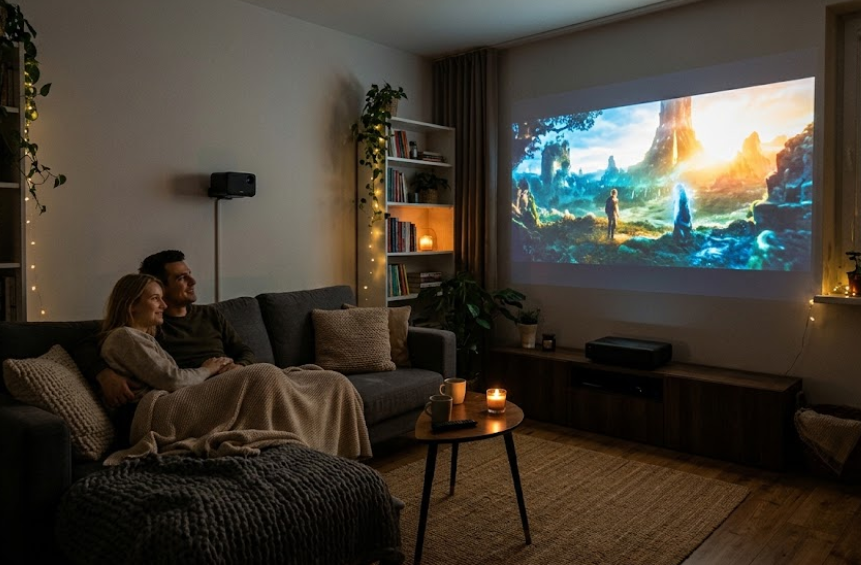
You don’t need an expensive plasma TV or a costly home theater setup to enjoy movies or gaming on a big screen. Sometimes, just $100 and a blank wall are enough to turn your bedroom or living room into a mini cinema.
Budget projectors make it possible to enjoy a larger viewing experience without spending hundreds of dollars on a television. Whether you want to watch movies, stream your favorite shows, or play games on a bigger display, an affordable projector can be a surprisingly good investment.
But not every cheap projector is worth your money. Some offer decent picture quality for movie nights, while others struggle with brightness, resolution, or gaming responsiveness. Knowing what to look for can help you find a model that fits your budget without sacrificing the features that matter most.
In this guide, we’ve rounded up seven budget-friendly projectors for movies and gaming, covering affordable options for casual entertainment and more capable models for those willing to spend a little extra.
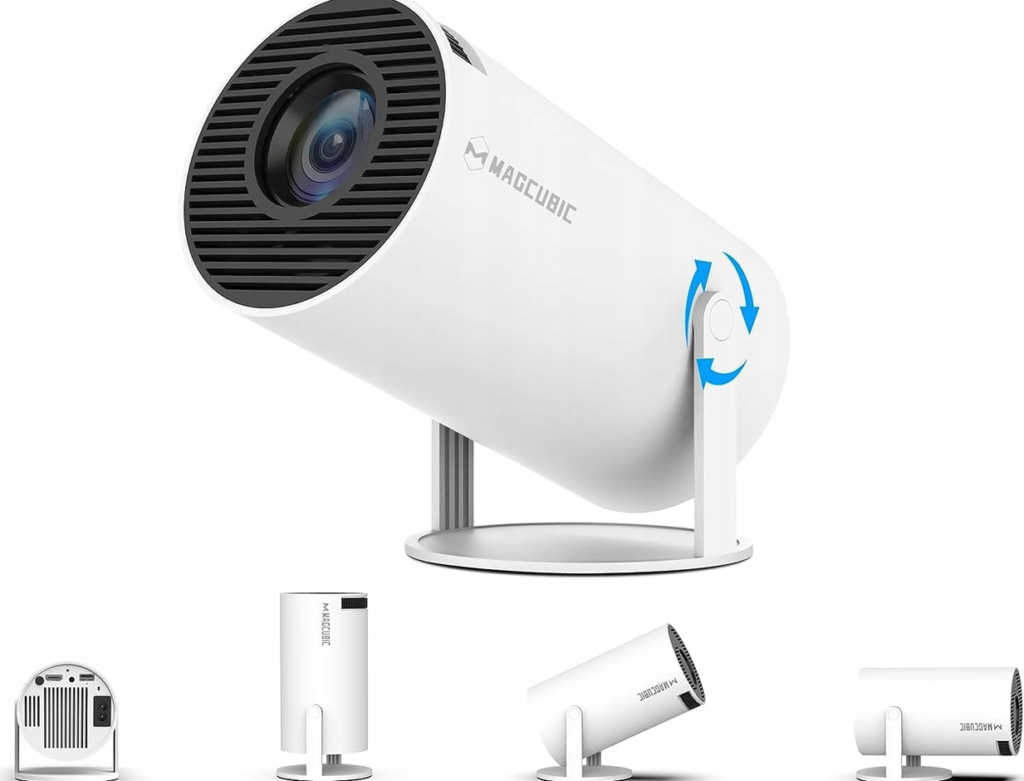
1. Magcubic HY300 — Best Ultra-Budget Projector
Best for: First-time projector buyers, casual movie nights, and small bedrooms
Typical budget: Approximately $40–$80
If you want to experiment with a big-screen setup without spending much money, the Magcubic HY300 is a good place to start. Its compact, cylindrical design makes it easy to move between rooms, while its rotating body gives you more flexibility when positioning the image.
The HY300 is designed for casual entertainment rather than serious home theater use. It typically features a native 720p resolution, although specifications can vary between versions. It can accept higher-resolution video signals, but that does not mean it displays them at the same resolution.
For movies, animated films, YouTube videos, and casual gaming, the image can be enjoyable when projected onto a suitable wall in a dark room. Its small size also makes it convenient for students, renters, or anyone who does not want to dedicate an entire room to entertainment equipment.
Gaming is possible through compatible connections, but don’t expect the responsiveness of a dedicated gaming display. Before purchasing, check the exact model’s available inputs and compatibility with your console or streaming device.
Pros
- Very affordable entry point.
- Compact design with flexible positioning.
- Suitable for casual entertainment.
- Takes up little storage space.
Cons
- Limited brightness, particularly with the lights on.
- Native 720p resolution on common versions.
- Built-in audio is unlikely to replace a dedicated speaker.
- Gaming performance may be unsuitable for competitive titles.
Our verdict: The Magcubic HY300 is worth considering if your main goal is to try projector-based entertainment for as little money as possible. It is best suited to dark rooms and relaxed viewing rather than replacing a television completely.
2. Aurzen EAZZE D1 — Best for Affordable Movie Nights

Best for: Streaming movies, TV shows, and everyday entertainment
Typical budget: Approximately $100–$180, depending on the version and retailer
The Aurzen EAZZE D1 is an option for buyers who want something more convenient than an ultra-cheap projector. It offers a native 1080p display on the standard D1 model, making it a more attractive choice for people who care about picture detail.
A 1080p image can make a noticeable difference when watching films with subtitles, reading small text, or displaying detailed game environments. However, actual image quality also depends on brightness, contrast, focus, and the quality of the source video.
Some EAZZE D1 configurations advertise built-in streaming applications and automatic setup features. Check the exact model and regional version before purchasing, as specifications and available services can differ.
For a movie night, the projector works best when you can reduce ambient light. Pairing it with an external speaker can also improve the experience, especially when watching action films or playing games with friends.
Although it can handle casual gaming, check independent input-lag measurements before choosing it for competitive play.
Pros
- Native 1080p resolution on the standard D1.
- Convenient option for everyday movie watching.
- Automatic setup features on supported versions.
- More practical for a regular home entertainment setup than some ultra-budget models.
Cons
- Still benefits significantly from a dark room.
- Picture quality cannot match a premium home theater projector.
- Specifications vary by model and region.
- Not necessarily the best option for competitive gaming.
Our verdict: Consider the Aurzen EAZZE D1 if movies and streaming matter more to you than achieving the lowest possible price. It offers a sensible step up from entry-level projectors, provided the particular version fits your budget.
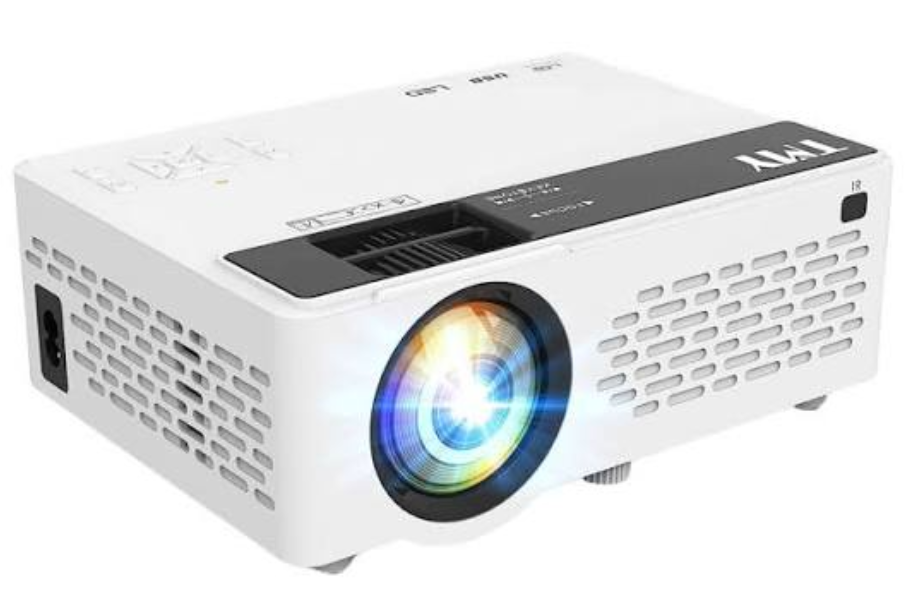
3. TMY V08 — Best for a Simple Bedroom Cinema
Best for: Casual streaming, bedroom movie nights, and occasional gaming
Typical budget: Approximately $50–$100
The TMY V08 is aimed at buyers who want a straightforward projector without investing in a complicated home theater system.
Its appeal is simplicity. Rather than spending a substantial amount on a large television, you can use a budget projector to create a much larger picture on a suitable wall.
The V08 is commonly listed as a 720p-native projector with support for higher-resolution input. That distinction matters: accepting a 1080p signal does not mean the projector physically displays 1080p detail.
It can be a reasonable choice for watching films, online videos, and television shows in a dark bedroom. Depending on the package and model version, connectivity and bundled accessories may vary, so check the listing before ordering.
For gaming, an HDMI connection can make it useful with compatible devices. Nevertheless, a large picture alone does not guarantee a good gaming experience. Input lag, motion handling, and resolution are still important.
If you mostly play slower-paced games, the experience may be perfectly adequate. For competitive shooters or fighting games, a display with verified low input lag is a safer choice.
Pros
- Affordable entry-level option.
- Suitable for casual entertainment.
- Can create a large image without a large television.
- Worth considering for occasional use.
Cons
- Limited brightness compared with more expensive models.
- Native resolution is relatively low.
- Best used in a dark room.
- Not intended for demanding gaming setups.
Our verdict: The TMY V08 is worth comparing with other projectors around the $100 mark. It makes the most sense for people who want an inexpensive introduction to big-screen viewing and have realistic expectations about picture quality.
4. NexiGo PJ40 Pro — Best Budget Option for Movies and Gaming

Best for: Home movie nights, console gaming, and a more permanent setup
Typical budget: Approximately $200–$300
If you can spend more than $100, the NexiGo PJ40 Pro deserves a place on your shortlist.
Its biggest attraction is its native 1080p resolution, which offers a more detailed picture than many inexpensive 720p projectors. It is designed for home entertainment, making it a more suitable candidate for people who plan to use a projector regularly rather than occasionally.
The PJ40 Pro can produce an enjoyable cinematic image in a darkened room. Its performance is still limited by its brightness and contrast, so it should not be treated as a replacement for a television in a bright living room.
For gaming, the projector’s HDMI connectivity allows you to connect compatible consoles and computers. It can work well for story-driven games, racing games, and relaxed multiplayer sessions, provided the input lag is acceptable for your needs.
Competitive gaming requires more caution. A projector can have an impressive screen size but still feel less responsive than a gaming monitor or television. Look for reliable measurements of input lag at the resolution and refresh rate you intend to use.
Pros
- Native 1080p resolution.
- Suitable for a dedicated movie setup.
- HDMI connectivity for compatible gaming devices.
- A more capable home entertainment option than many entry-level models.
Cons
- Costs substantially more than a $100 projector.
- Best suited to a dark or dim room.
- Fan noise may be noticeable.
- Not an automatic choice for competitive gaming.
Our verdict: The NexiGo PJ40 Pro is worth considering if you want a projector for regular use and can stretch your budget. Its native resolution makes it a more compelling choice for detailed movies and games than many ultra-cheap alternatives.
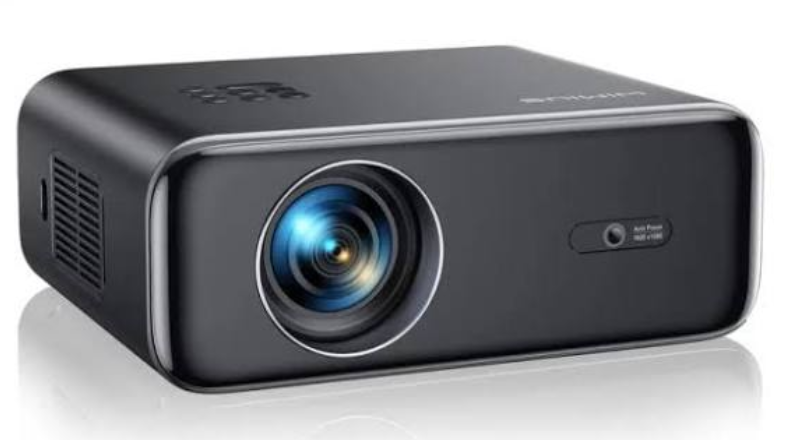
5. WiMiUS P62 Pro — Best for a Flexible Home Setup
Best for: Movies, family entertainment, and casual console gaming
Typical budget: Approximately $150–$250, depending on the offer
The WiMiUS P62 Pro is designed for buyers who want a more feature-rich projector without moving into premium home theater pricing.
Its appeal lies in the combination of native 1080p resolution, automatic setup features, and connectivity options. Depending on the exact configuration, these features can make it easier to position the projector and get a usable image without spending too much time adjusting settings.
For movies, native 1080p is a useful feature if you plan to project onto a large wall. However, sharpness is only one part of picture quality. Brightness, contrast, and the ability to control room lighting remain important.
The projector is also worth considering for casual gaming. You can connect compatible consoles or other HDMI sources, but don’t assume that its advertised resolution guarantees low input lag.
If gaming is a major priority, confirm whether the particular version offers a dedicated game mode and look for independent latency measurements.
As with most projectors in this price category, a dark room will produce a more satisfying picture than a room with strong sunlight.
Pros
- Native 1080p resolution on the P62 Pro.
- Automatic adjustment features on supported configurations.
- Useful for movies and casual gaming.
- Suitable for a flexible home entertainment setup.
Cons
- Performance depends heavily on room lighting.
- Product specifications and prices can vary.
- Built-in speakers may not provide immersive sound.
- Gaming latency should be checked before purchase.
Our verdict: The WiMiUS P62 Pro is a reasonable option for people who want more convenience and flexibility than an entry-level projector offers. Compare its current price with competing native 1080p models before deciding.
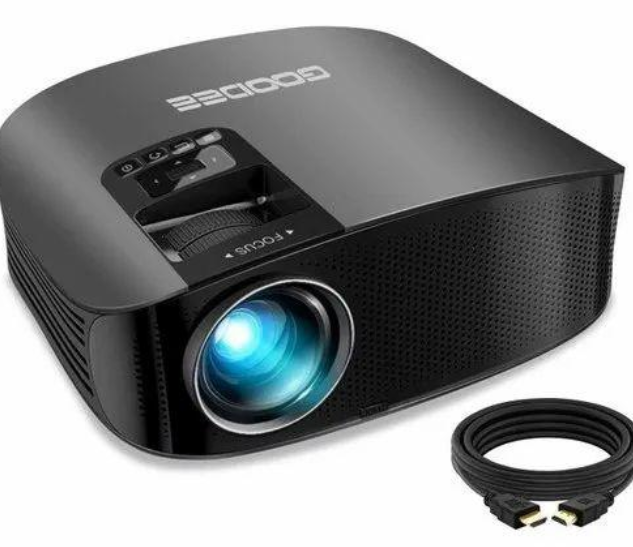
6. GooDee YG600 Plus — Best for a Dedicated Movie Corner
Best for: Movie nights, television shows, and family entertainment
Typical budget: Approximately $130–$200, where available
The GooDee YG600 Plus is another model worth investigating if you want a projector for regular movie watching.
Rather than prioritizing the smallest possible size, this type of home projector focuses on creating a larger image for a fixed entertainment space. That makes it worth comparing with portable models if you intend to leave the projector in your bedroom or living room.
The YG600 Plus is commonly advertised as supporting 1080p video, but buyers should verify the native resolution of the exact model they are considering. Manufacturer specifications and product listings can differ, and support for a particular input format is not the same as native display resolution.
For movies, a smooth, clean wall and controlled lighting can make a significant difference. A separate screen may improve the result further, although it adds to the total cost.
For gaming, check the available inputs and whether the model has independently measured low latency. A projector that works well for films is not automatically the best choice for fast-paced games.
Pros
- Designed for home entertainment.
- Worth considering for a dedicated movie area.
- Can offer good value when discounted.
- Suitable for casual viewing and compatible gaming sources.
Cons
- Exact specifications should be verified before buying.
- Not a premium home theater replacement.
- Room lighting affects the picture considerably.
- Gaming responsiveness may be limited.
Our verdict: The GooDee YG600 Plus is worth comparing with other home-focused projectors if you want a dedicated movie setup. Check its native resolution, measured brightness, and current price rather than relying on headline marketing figures.
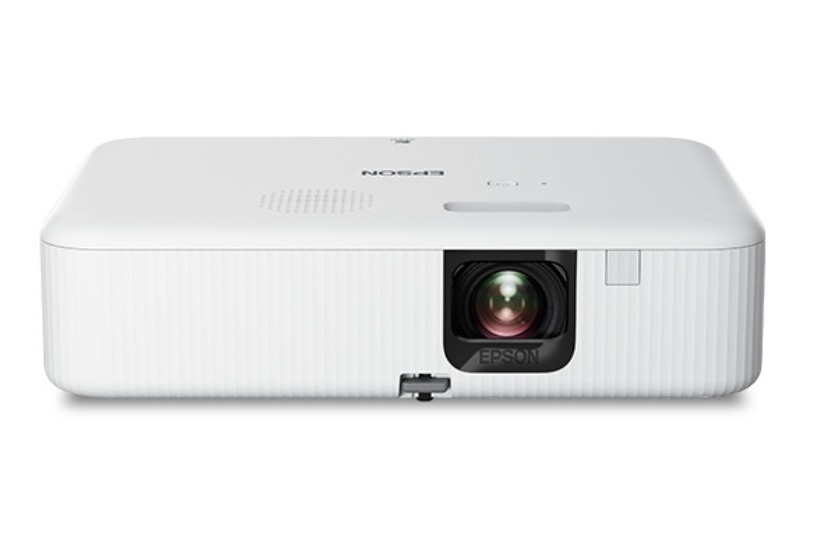
7. Epson EpiqVision Flex CO-FH02 — Best for Buyers Who Can Spend More
Best for: Movies, presentations, and entertainment in rooms with some ambient light
Typical budget: Approximately $400–$600, depending on the retailer
If you are willing to move beyond the ultra-budget category, the Epson EpiqVision Flex CO-FH02 is an alternative worth considering.
It costs considerably more than a $100 projector, but it belongs in this guide because some buyers may prefer spending more on brightness and everyday usability instead of choosing the cheapest device available.
The CO-FH02 offers Full HD 1080p resolution and substantially greater brightness than many entry-level LED projectors. That makes it a more practical candidate for multipurpose rooms where you cannot always turn every light off.
It can be useful for films, television shows, presentations, and casual gaming. However, its gaming performance has limitations, and independent testing indicates that its input lag is relatively high. It is therefore better suited to relaxed gaming than competitive play.
The trade-off is straightforward: you spend more money to get a brighter, more versatile projector, but you still do not get all the advantages of a premium gaming display or television.
Before purchasing, compare the Epson’s current price with other home projectors and consider whether you genuinely need its additional brightness.
Pros
- Full HD 1080p resolution.
- Higher brightness than many ultra-budget projectors.
- More suitable for multipurpose use.
- Established manufacturer with a broad projector lineup.
Cons
- Costs several times more than a $100 projector.
- Gaming input lag can be relatively high.
- Does not eliminate the benefits of controlling room lighting.
- May be excessive for occasional movie nights.
Our verdict: The Epson CO-FH02 is the choice for people who prioritize brightness and broader everyday use over the lowest possible purchase price. If you only plan to watch films occasionally in a dark bedroom, a cheaper model may be sufficient.
Budget Projector Comparison: Which One Should You Choose?
Here is a quick overview of how the seven options fit different needs.
| Projector | Best use | Resolution to check | Approximate budget |
|---|---|---|---|
| Magcubic HY300 | Ultra-budget entertainment | Native 720p on common versions | $40–$80 |
| Aurzen EAZZE D1 | Movie nights and streaming | Native 1080p on the standard D1 | $100–$180 |
| TMY V08 | Simple bedroom cinema | Commonly native 720p | $50–$100 |
| NexiGo PJ40 Pro | Movies and casual gaming | Native 1080p | $200–$300 |
| WiMiUS P62 Pro | Flexible home entertainment | Native 1080p | $150–$250 |
| GooDee YG600 Plus | Dedicated movie setup | Verify exact model specifications | $130–$200 |
| Epson EpiqVision Flex CO-FH02 | Brighter multipurpose viewing | Native 1080p | $400–$600 |
What Should You Look for in a Budget Projector?
Buying a projector based on its advertised screen size alone is a common mistake. A 150-inch image sounds impressive, but the viewing experience depends on several other factors.
Here are the specifications worth checking before you spend your money.
1. Native Resolution
Resolution affects how much detail you can see.
A native 720p projector can be sufficient for casual viewing, particularly when you sit farther from the screen. However, native 1080p is generally preferable for larger images, subtitles, detailed game environments, and sharper text.
Be cautious when a product listing prominently advertises 1080p or 4K support. A projector with a lower-resolution display panel can accept those signals without reproducing all their original detail.
2. Real Brightness
Brightness is one of the most important factors when choosing an affordable projector.
Look for brightness measurements expressed in ANSI lumens or another clearly identified standardized unit. Numbers advertised simply as “lumens” can be difficult to compare between manufacturers.
Budget projectors generally perform best in dark rooms. Even a projector that looks impressive at night may produce a washed-out image when sunlight enters through a window.
If you want to watch films during the day, you will generally need a brighter projector and may need to increase your budget.
3. Input Lag for Gaming
Input lag is the delay between an action on your controller and the corresponding response appearing on screen.
For slower games, such as turn-based adventures or many single-player titles, moderate latency may be acceptable. Fast competitive shooters, rhythm games, and fighting games are much more sensitive to delays.
If you plan to connect a PlayStation, Xbox, Nintendo Switch, or gaming PC, check the projector’s measured input lag at your intended resolution and refresh rate.
Do not assume that every projector marketed for gaming has a genuinely low-latency display mode.
4. HDMI and Streaming Compatibility
An HDMI connection allows many projectors to work with compatible consoles, computers, streaming devices, and other video sources.
However, HDMI connectivity alone does not guarantee that every feature will work. Check supported resolutions, refresh rates, audio formats, and compatibility with your particular equipment.
You should also distinguish between built-in streaming applications and phone screen mirroring. Mirroring a phone’s display is not always equivalent to having native access to a streaming service.
If the projector does not have the applications you need, a compatible streaming stick may be a convenient alternative.
5. Fan Noise and Built-In Speakers
A projector contains cooling components that can produce noticeable fan noise, especially during quiet scenes.
Built-in speakers are convenient, but their sound quality and volume vary considerably. An external speaker can improve dialogue clarity and make gaming or movie nights more immersive.
Before buying, check whether the projector supports your preferred audio connection, such as Bluetooth or a compatible wired output.
6. Projection Distance and Image Size
A projector needs enough space between the lens and the wall to produce your desired image size.
Before ordering, check the manufacturer’s projection-distance recommendations. This is particularly important if you have a small bedroom, a narrow living room, or limited space for a stand.
Keystone correction can help straighten a distorted image, but excessive digital correction may reduce effective image detail. Positioning the projector correctly is usually preferable to relying on heavy digital adjustments.
7. Total Cost
The price of the projector is not always the total cost of your setup.
You might also need:
- A streaming device if the projector lacks suitable apps.
- An external speaker for better sound.
- A stand or mount for correct positioning.
- A projector screen if your wall is unsuitable.
- Appropriate cables or adapters for your devices.
If your entire budget is $100, leave some room for accessories rather than spending every dollar on the projector itself.
Is a $100 Projector Good Enough for Movies and Gaming?
Yes, if you understand its limitations.
A projector around $100 can be an enjoyable way to watch films, stream videos, and play casual games. You do not necessarily need a premium television to enjoy a large image at home.
The key is choosing the right environment and having realistic expectations.
For movie nights, a dark room, a smooth wall, and a reasonable viewing distance can help you get the most from an inexpensive projector. For casual gaming, an HDMI connection and acceptable input lag are more important than impressive marketing claims about screen size.
However, cheap projectors are not ideal for every situation. If you want a bright picture in daylight, sharp native 1080p detail, excellent contrast, or highly responsive competitive gaming, spending more may be worthwhile.
It is also worth remembering that a projector and a television serve different purposes. A television is usually more convenient for everyday viewing in a bright room, while a projector can deliver a much larger image when the lighting and setup are suitable.
Final Verdict: Which Budget Projector Is Worth Buying?
The best projector depends on how much you want to spend and what you plan to watch.
- For the lowest price: Consider the Magcubic HY300 if you primarily want casual entertainment in a dark room.
- For affordable movie nights: Compare the Aurzen EAZZE D1 and TMY V08, paying attention to their native resolution and available features.
- For regular movies and gaming: The NexiGo PJ40 Pro and WiMiUS P62 Pro are worth investigating if you can spend more.
- For a dedicated movie area: Consider the GooDee YG600 Plus after verifying its exact specifications.
- For brighter multipurpose viewing: The Epson EpiqVision Flex CO-FH02 is a more expensive alternative worth comparing.
Our biggest recommendation is to look beyond advertised screen size, claimed 4K support, and unverified brightness numbers. Native resolution, measured brightness, connectivity, and gaming latency are much more useful indicators of whether a projector will suit your needs.
You do not need to spend a fortune to enjoy movies on a big screen. With the right budget projector, a suitable wall, and a dark room, you can create an enjoyable home entertainment setup without the cost or space requirements of a large television.